Notes to Flashcards AI Converter
Convert long notes into concise flashcards designed for active recall. Aripsy helps you move from reading and highlighting to actually testing what you remember.
50
Free / month
300
Pro / month
30K
Pro words / input
Auto-detect
Auto
General
Free includes limited flashcards; Pro has no separate flashcard cap within the 300 monthly AI-generation allowance.
Short answer
How does Aripsy turn notes into flashcards?
Aripsy identifies testable definitions, steps, examples, and relationships in focused notes and turns them into short question-and-answer cards.
Best input
Paste a chapter section, lecture notes, article extract, or copied PDF text that you want to turn into study notes.
Responsible use
Use Aripsy as revision support alongside your source material, specification, or mark scheme.
Notes to Flashcards AI Converter
Convert long notes into concise flashcards designed for active recall. Aripsy helps you move from reading and highlighting to actually testing what you remember.
Why use this tool?
How to create flashcards from notes
Common Questions
What is a notes to flashcards AI converter?
What kind of notes work best?
Can I export flashcards?
Is this a replacement for studying?
Can I make flashcards from handwritten notes?
How many flashcards should I generate at once?
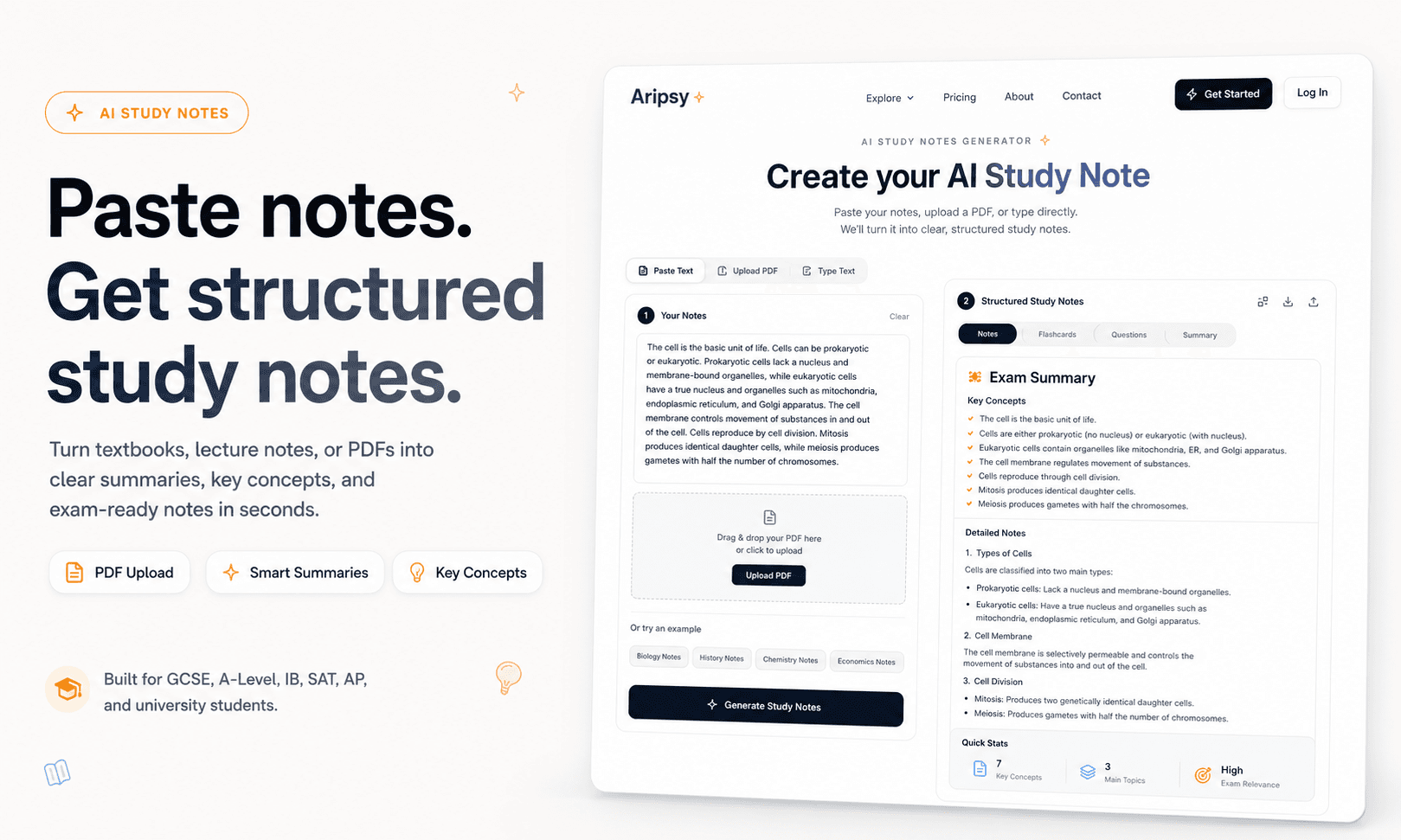
Product workflow preview
What the workflow looks like in Aripsy
This page is for students who already have notes and want to convert the most testable parts into recall cards. The screenshot shows the same Aripsy workflow students use to add material, choose study settings, generate notes, then build recall practice from the saved session.
Why convert notes to flashcards?
Reading notes can feel productive, but it often hides gaps in understanding. Flashcards make those gaps visible by asking you to recall the answer before seeing it.
How Aripsy creates better flashcards
Aripsy looks for definitions, relationships, examples, dates, formulas, and processes in your notes. It then turns them into focused prompts instead of broad questions that are hard to revise.
Use it after every lecture or chapter
The best time to create flashcards is soon after learning the material. Paste your lecture notes or chapter summary into Aripsy, generate cards, and review weak areas while the topic is still fresh.
Pair flashcards with notes and quizzes
Flashcards are strongest when combined with structured notes and practice questions. Aripsy supports that full workflow so you can understand, recall, and test the same material.
Useful student workflows
After class
Paste lecture notes while the topic is fresh and create a flashcard set for the definitions you will forget fastest.
Before spaced review
Turn a clean note page into cards, then schedule short review sessions instead of rereading the whole page.
Group revision
Use one agreed note set to generate shared cards, then let each student verify and edit their own version.
Converting notes is different from summarizing notes
Summaries reduce volume. Flashcards create retrieval prompts. Aripsy keeps those jobs separate: notes help understanding, while cards help students test recall. When you paste a note page, look for concepts that can be asked as a direct question, a missing term, a comparison, or a short explanation. Those make better cards than broad paragraphs.
Why this workflow needs its own page
A notes-to-flashcards workflow has its own quality rules. The key issue is not whether AI can read notes; it is whether the generated cards are specific, answerable, and easy to check. Aripsy is useful here because flashcards sit beside notes, MCQs, and Ask AI tutor in the same study environment.
Editing generated cards improves learning
Do not accept every generated card automatically. If a card includes two answers, split it. If a question gives away the answer, rewrite it. If a definition sounds different from your course wording, correct it. That editing step forces active processing, which is part of why flashcards can be more useful than passive note review.
Sources and further reading
These independent education resources inform the study habits discussed on this page. Always follow your teacher, tutor, specification, or official exam guidance first.
Retrieval practice
Explains why pulling answers from memory is usually stronger than rereading notes.
The Learning ScientistsSpaced practice
Useful background for turning notes into flashcards and revisiting them over time.
Cornell Learning Strategies CenterThe Cornell Note Taking System
Shows a practical structure for separating notes, cues, and summaries.
Ready to revise with less friction?
Start with your own material and build a clearer revision workflow.
Supported Subjects
Biology, Chemistry, Physics, Mathematics, History, Geography, Economics, Business, Psychology, Computer Science and English Literature.