How to Turn a PDF Into Flashcards Free
To turn a PDF into flashcards free, copy one focused section of selectable text, generate a small question-and-answer deck, verify every card against the PDF, and edit or delete weak prompts before studying.
 Aripsy Study Team
In this article12
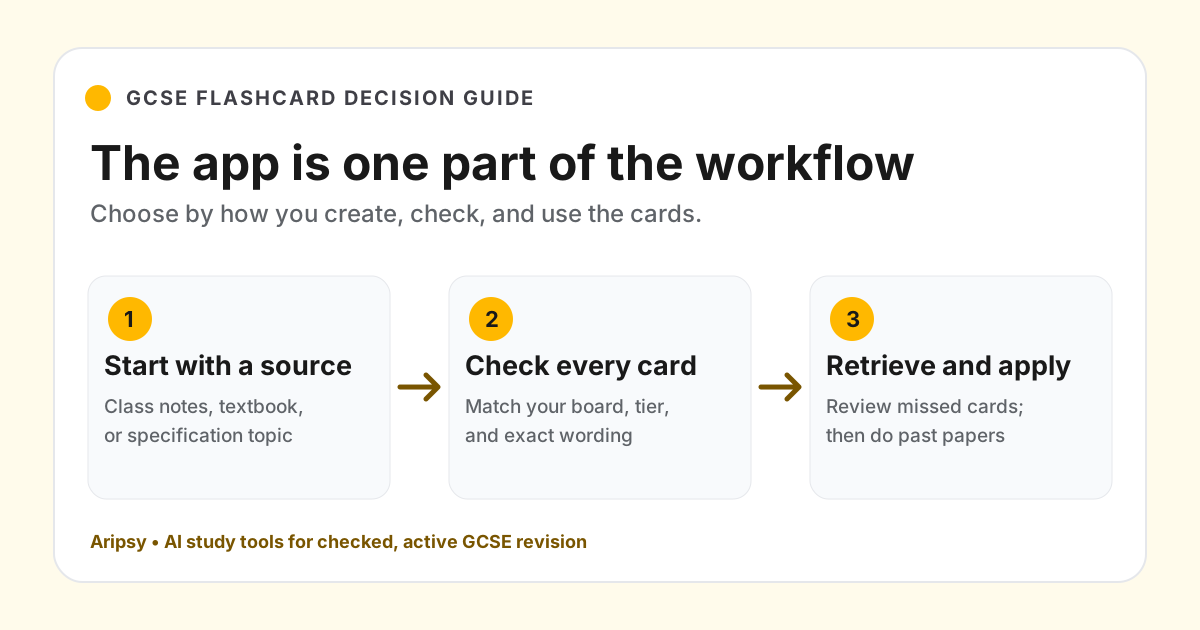
You can turn a PDF into flashcards for free if you keep the workflow focused. The key is not to convert a whole document at once. Extract one useful section, generate draft cards, check them against the PDF, then revise with active recall.
This guide shows a free PDF-to-flashcards workflow for students using class notes, lecture slides, textbook extracts, revision packs, or study handouts. It specifically answers the free-method question; the broader PDF-to-flashcards guide covers card design and active-recall strategy beyond plan access.
Quick answer: how do I turn a PDF into flashcards free?
To turn a PDF into flashcards free, copy a focused section of readable PDF text, paste it into a free flashcard or study-notes tool, generate question-and-answer cards, check each answer against the PDF, then delete or edit weak cards before reviewing.
In Aripsy, Free users can paste text from a PDF section within Free limits and generate notes or flashcards. Signed-in Free users can also try one successful PDF, PowerPoint, or Word upload; ongoing document uploads require Pro.
Step 1: Choose one PDF section
Do not start with the whole PDF. A smaller section gives better flashcards and makes accuracy easier to check.
Good sections:
- One GCSE science topic.
- One A-Level case study.
- One university lecture section.
- One textbook subsection.
- One revision-guide page on a weak area.
Avoid uploading or pasting personal, sensitive, or private content. Only use material you have permission to process.
Step 2: Copy readable text from the PDF
Free workflows usually depend on pasted text. Open the PDF, highlight the relevant text, copy it, and paste it into your flashcard workflow.
If the text copies badly, the PDF may be scanned or image-based. In that case, use OCR first or type the key points manually. Do not trust generated cards if the source text is garbled.
Before generating flashcards, remove:
- Page headers and footers.
- Repeated copyright lines.
- Broken line breaks.
- Irrelevant examples.
- Tables that copied in the wrong order.
Cleaner input produces cleaner cards.
Step 3: Generate draft flashcards
Ask for short question-and-answer cards. A good flashcard tests one idea.
Useful card types:
| Card type | Example prompt |
|---|---|
| Definition | What is osmosis? |
| Process | What happens during mitosis? |
| Comparison | How is diffusion different from active transport? |
| Formula | What does each symbol in V = IR mean? |
| Application | What happens if light intensity limits photosynthesis? |
Avoid cards that ask for everything at once. “Explain photosynthesis” is usually too broad for one card.
Step 4: Check every generated card
AI flashcards are drafts. Check them before memorising them.
Review each card for:
- Accurate definitions.
- One idea per card.
- Clear wording.
- No duplicated cards.
- No missing units or formulas.
- No information that was not in your course material.
For GCSE, A-Level, IB, AP, SAT, medical, law, and university work, verify important details against trusted course material.
Step 5: Turn weak cards into better cards
Many first-draft cards need editing.
| Weak card | Better card |
|---|---|
| Explain enzymes. | What is the role of an enzyme in a reaction? |
| Photosynthesis equation? | What is the word equation for photosynthesis? |
| Cell organelles. | What is the function of mitochondria? |
| Talk about voltage. | What is potential difference measured in? |
Short cards are easier to review and easier to mark right or wrong.
Step 6: Review with active recall
Do not read both sides of the card immediately. Look at the question, answer from memory, then check.
Use a simple review schedule:
| Review | Timing |
|---|---|
| First review | Same day |
| Second review | Next day |
| Third review | Three days later |
| Fourth review | One week later |
| Exam review | Before a test or mock |
If a card is difficult, review it sooner. If it is easy several times, space it out.
Free vs Pro PDF-to-flashcards workflow in Aripsy
| Workflow | Free | Pro |
|---|---|---|
| Paste PDF text | Yes, within Free input limits | Yes, with higher input limits |
| Direct PDF upload | One successful document upload after sign-in | Ongoing supported document uploads up to 15MB |
| Notes and flashcards | Yes | Yes |
| MCQs and fill-in-the-blanks | No | Yes |
| Export | Markdown | PDF, Markdown, and Anki |
If you only need a small deck, the free pasted-text workflow can be enough. If you regularly work from larger PDFs, Pro is designed for that workflow.
Example: PDF paragraph to flashcards
Source paragraph:
Diffusion is the net movement of particles from an area of higher concentration to an area of lower concentration. It happens because particles move randomly. Diffusion is faster when the concentration gradient is steeper, the temperature is higher, or the surface area is larger.
Better cards:
- What is diffusion?
- Why does diffusion happen?
- What does concentration gradient mean?
- Name three factors that can increase the rate of diffusion.
- Why does a larger surface area increase diffusion rate?
Each card tests one idea from the source.
FAQ
Can I upload a PDF for free in Aripsy?
Yes. After signing in, Free users can try one successful supported PDF, PowerPoint (.pptx), or Word (.docx) upload. Ongoing document uploads require Pro. You can also copy a focused section from a readable PDF and paste the text within Free limits.
Can AI flashcards from PDFs be wrong?
Yes. AI can misread copied text, simplify too much, or generate unclear cards. Check important cards against the original PDF, your textbook, specification, or course materials.
Should I turn the whole PDF into flashcards?
Usually no. Start with one topic or chapter section. Large PDFs often create broad, duplicated, or low-value cards.
Are free PDF flashcards enough for exam revision?
They can help with recall, but they are not enough by themselves. Use flashcards with notes, practice questions, past papers, feedback, and a mistake log.
What should I do if the PDF text copies badly?
Use OCR, try a cleaner PDF, or type the key points manually. Do not generate flashcards from broken text unless you are willing to check every card carefully.
Sources and further reading
- The Learning Scientists: retrieval practice
- The Learning Scientists: spaced practice
- Google Search Central: creating helpful, reliable, people-first content
Next study steps in Aripsy
Keep exploring
Flashcards from notes
Turn a focused set of checked notes into short active-recall cards.
Open Flashcards from notes
Written by
Aripsy Study Team
The Aripsy Study Team creates practical revision guides designed to support learning, source checking, and active practice.