Four-Option AI MCQ Generator from Text
Paste study text and generate four-option multiple-choice questions with one answer and plausible distractors. This page is specifically for text-to-MCQ practice rather than a general quiz session.
Paste
Free text
3 formats
PDF · PPTX · DOCX
Export
By plan
Auto-detect
Auto
General
MCQ generation is available on Pro.
Short answer
How does Aripsy generate MCQs from text?
Paste study text and generate four-option multiple-choice questions with one answer and plausible distractors. This page is specifically for text-to-MCQ practice rather than a general quiz session.
Best input
Paste a chapter section, lecture notes, article extract, or copied PDF text that you want to turn into study notes.
Responsible use
Use Aripsy as revision support alongside your source material, specification, or mark scheme.
How Aripsy helps you study this material
Paste study text and generate four-option multiple-choice questions with one answer and plausible distractors. This page is specifically for text-to-MCQ practice rather than a general quiz session.
Why use this tool?
How to generate MCQs from text
Common Questions
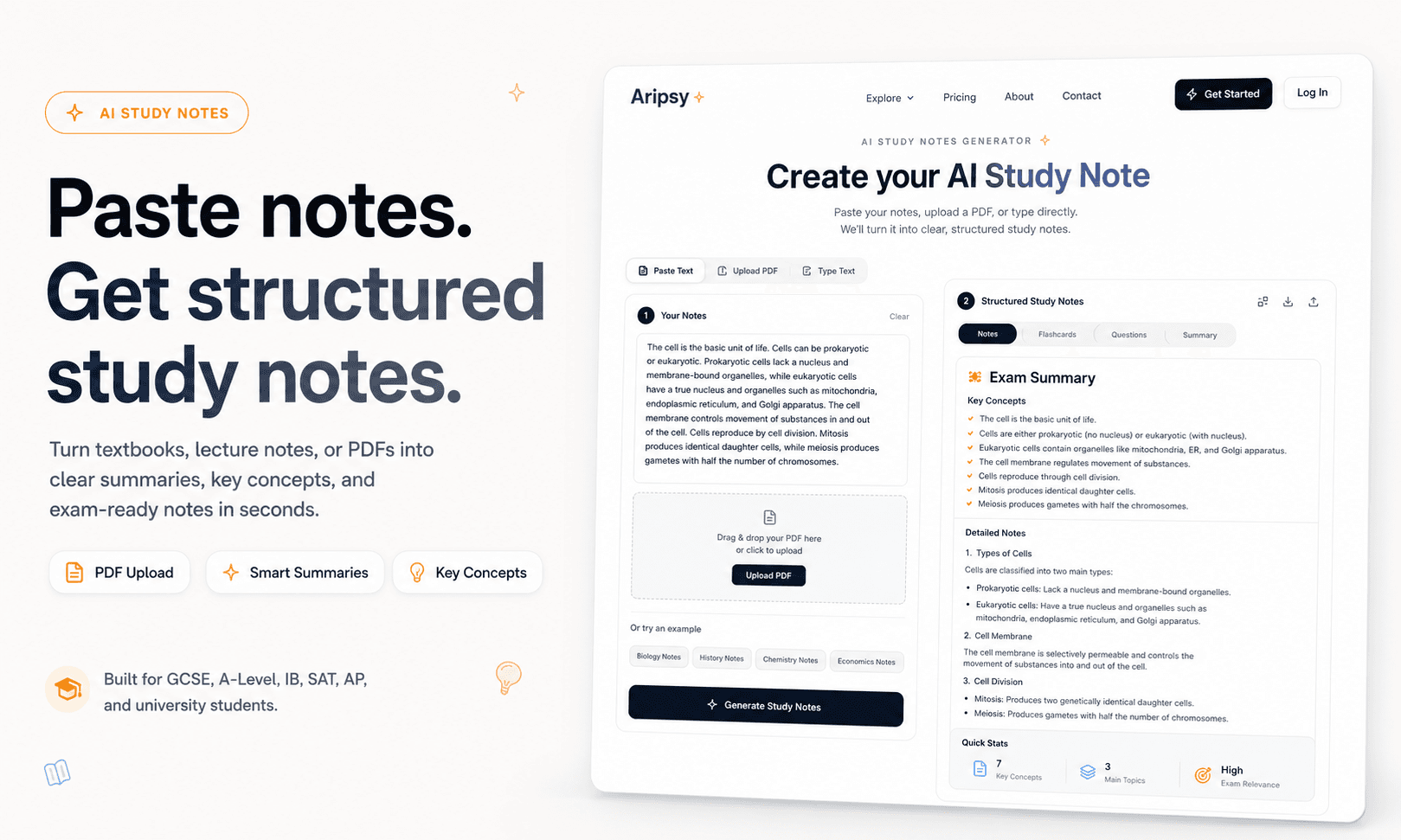
Product workflow preview
What the workflow looks like in Aripsy
This workflow focuses on turning source text into MCQs with answer review, especially for Pro users. The screenshot shows the same Aripsy workflow students use to add material, choose study settings, generate notes, then build recall practice from the saved session.
Turn text into multiple-choice questions
Multiple-choice questions are useful when they test more than recognition. Aripsy reads your text and creates practice questions with plausible answer choices so you can check whether you understand the concept.
Better MCQs start with focused input
For best results, paste one topic, chapter section, or lecture block at a time. Focused input helps the AI create questions that are specific enough to be useful.
Use MCQs to spot misconceptions
Good distractors reveal confusion. When you pick the wrong answer, review the related part of your notes and create follow-up flashcards for the concept.
For students, tutors, and study groups
Students can use generated MCQs for self-testing. Tutors and study groups can use them as a quick starting point for revision sessions, while still checking answers for accuracy.
Useful student workflows
Misconception checks
Generate MCQs around ideas students often confuse, then review why each distractor is wrong.
Medical and law revision
Turn case notes, definitions, and principles into focused MCQs for application practice.
Classroom recap
Tutors can convert a short reading extract into a quick formative check for a study group.
Strong MCQs need plausible distractors
A multiple-choice question is only useful if the wrong options reveal real misconceptions. Aripsy can create MCQ practice from pasted text or saved notes, but students should inspect the distractors and answer explanations. If every wrong option is obviously false, the question may be too easy for exam preparation.
Where MCQs fit in the Aripsy workflow
Use notes first when a topic is new, flashcards when facts need recall, and MCQs when you need to choose between similar ideas. Aripsy supports that progression in one study environment. Pro users get MCQs, PDF, PowerPoint, and Word uploads, longer inputs, output length control, and export options that make larger revision sessions easier to manage.
How to use AI MCQs without overtrusting them
Treat generated MCQs as practice prompts, not official exam questions. Check wording against your course, remove ambiguous questions, and verify explanations. For high-stakes exams, compare your practice with official specimen papers or trusted study resources so you understand the standard expected by the assessment.
Sources and further reading
These independent education resources inform the study habits discussed on this page. Always follow your teacher, tutor, specification, or official exam guidance first.
Writing good multiple choice test questions
Helpful context for why good MCQs need plausible distractors and clear stems.
University of MinnesotaUse retrieval practice
A university study resource explaining how self-testing supports learning.
Google Search CentralCreating helpful, reliable, people-first content
Reference for keeping AI-assisted study pages useful, specific, and honest.
Ready to revise with less friction?
Start with your own material and build a clearer revision workflow.
MCQ generation is available on Pro.
Supported Subjects
Biology, Chemistry, Physics, Mathematics, History, Geography, Economics, Business, Psychology, Computer Science and English Literature.