SAT Skill Review Question Generator
Turn a corrected SAT mistake, weak skill, grammar rule, or math method into focused short-answer prompts. This page is for explaining and solving without answer choices before moving to Digital SAT multiple-choice practice.
Exam
SAT
Math
SAT
Reading & Writing
SAT
Auto-detect
GCSE / SAT
SAT
Create source-based practice prompts; MCQ mode is available on Pro.
Short answer
How can Aripsy help me revise SAT?
Turn a corrected SAT mistake, weak skill, grammar rule, or math method into focused short-answer prompts. This page is for explaining and solving without answer choices before moving to Digital SAT multiple-choice practice.
Best input
Mistake log: I confused a transition showing contrast with one showing cause and effect. Explain the difference, then create a short-answer prompt that makes me choose and justify the correct relationship.
Responsible use
Aripsy creates unofficial skill-review prompts from your notes and mistake logs. Use official College Board practice for test format, timing, scoring, and performance benchmarks.
How Aripsy helps you study this material
Turn a corrected SAT mistake, weak skill, grammar rule, or math method into focused short-answer prompts. This page is for explaining and solving without answer choices before moving to Digital SAT multiple-choice practice.
Why use this tool?
How to create targeted practice questions
Common Questions
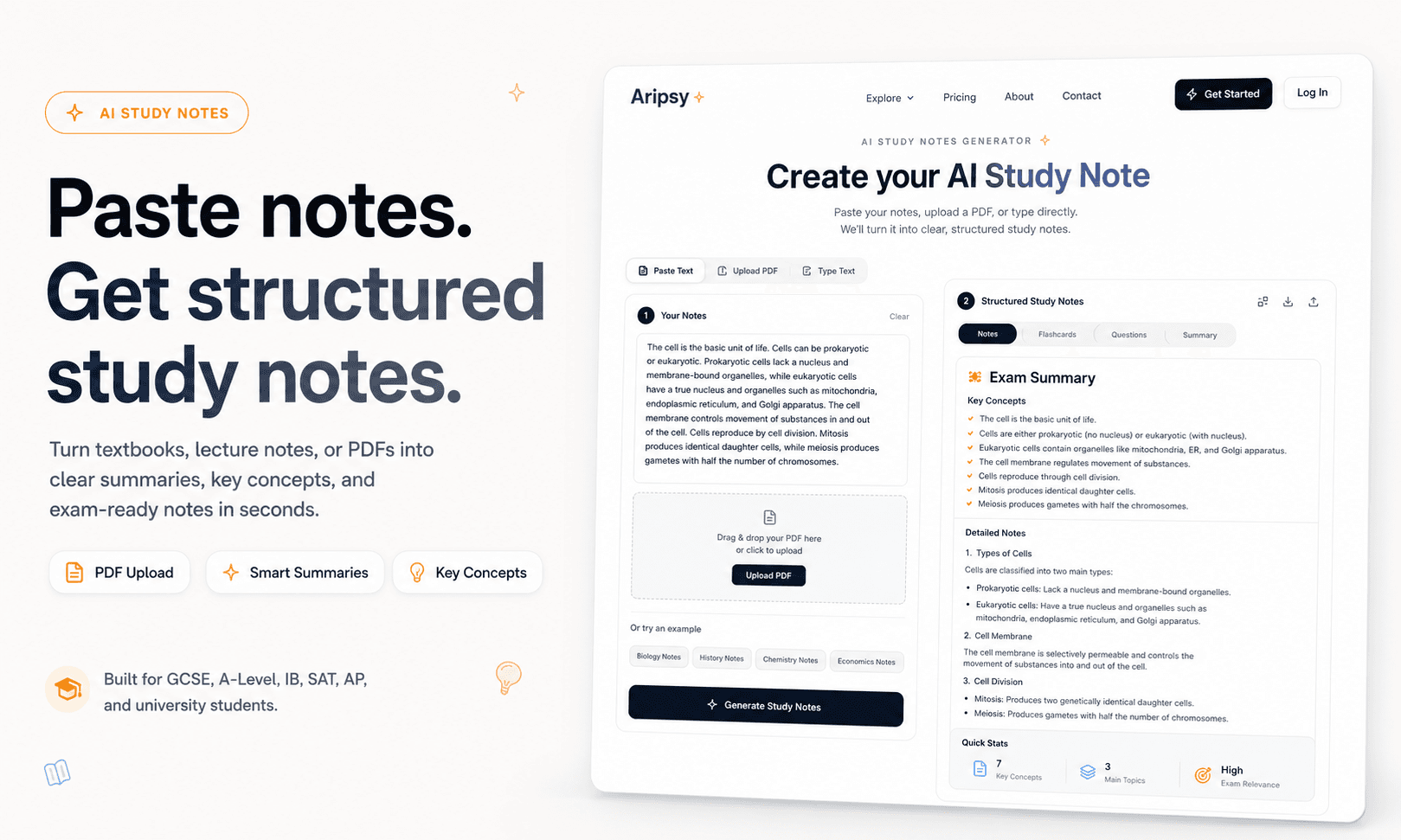
Product workflow preview
What the workflow looks like in Aripsy
SAT practice should connect missed-question notes with targeted follow-up questions. The screenshot shows the same Aripsy workflow students use to add material, choose study settings, generate notes, then build recall practice from the saved session.
Related topics
Start with one mistake or weak SAT skill
Paste a corrected problem, a grammar rule, a reading inference you missed, or the steps for a math method. Keeping the input focused makes it easier to practise the exact gap instead of generating a broad mixed quiz.
Answer without multiple-choice cues
Use short-answer, explanation, and show-your-working prompts to check whether you can retrieve the rule or method without recognising it among four options. When you want four-option questions and distractor analysis, use the dedicated SAT MCQ page.
Turn the result into a mistake-log loop
Attempt the prompt without notes, compare your reasoning with the corrected source, record the precise error, and generate a new variation only after you can explain the correction.
Finish with official SAT practice
Aripsy provides unofficial skill review, not official or scored SAT questions. Use official College Board materials for representative test format, adaptive timing, scoring, and final readiness checks.
Useful student workflows
Missed-question review
Paste your explanation for a missed SAT question and generate another prompt around the same skill.
Reading and Writing rules
Turn grammar, transitions, evidence, and rhetoric notes into short checks.
Math skill practice
Create prompts from notes on algebra, functions, ratios, geometry, or data analysis.
SAT practice should target skills, not random volume
The best SAT prep identifies a weak skill, reviews the rule or method, then practices similar questions. Aripsy can help students convert their own notes into targeted practice prompts, but official SAT practice should remain the main benchmark for question style and scoring expectations.
Where Aripsy fits beside official SAT prep
Use College Board and Khan Academy for official-style preparation. Use Aripsy when you have notes from a mistake log, tutor session, class handout, or SAT strategy guide and want to turn them into clearer review material. It is especially useful after a practice test, when the student knows which skills need another pass.
A responsible SAT workflow
Write down why you missed a question, paste that explanation into Aripsy, generate a short practice set, and check whether you can explain the method without looking. For math, verify calculations. For Reading and Writing, check wording against official explanations and avoid treating AI-generated questions as official test items.
Sources and further reading
These independent education resources inform the study habits discussed on this page. Always follow your teacher, tutor, specification, or official exam guidance first.
SAT practice and preparation
Official SAT preparation guidance students should prioritize.
Khan AcademySAT preparation
Free SAT practice resource that pairs well with reviewing missed-question notes.
University of MinnesotaUse retrieval practice
A university study resource explaining how self-testing supports learning.
Ready to revise with less friction?
Start with your own material and build a clearer revision workflow.
Create source-based practice prompts; MCQ mode is available on Pro.
Supported Subjects
Biology, Chemistry, Physics, Mathematics, History, Geography, Economics, Business, Psychology, Computer Science and English Literature.