Best AI Study Tools for GCSE Exam Preparation in 2026
For GCSE revision in 2026, Aripsy is the best fit for turning your own notes and documents into exam-board-aware notes, flashcards and practice; Save My Exams for an expert-written library mapped to each specification; NotebookLM for questioning a set of trusted sources; Quizlet and Knowt for familiar flashcard modes; and Anki for long-term spaced repetition. Prices and limits were checked on 15 October 2026.
 Aripsy Study Team
In this article11
Looking for the best AI study tool for GCSE revision? We scored six tools on the same five criteria. The short answer: pick by the job in front of you, not by the brand.
Aripsy publishes this guide and is one of the tools listed. Every price, limit and claim below links to the page it came from, with the date we checked it, so you can verify them yourself.
GCSE student organising revision notes and flashcards beside a laptop
Key takeaways
- Aripsy is the best fit when you start from your own class notes, handouts or a PDF and want notes, flashcards, MCQs and marked short answers that follow your exam board. Pro is $7.99 a month or $49.99 a year.
- Save My Exams is the best fit when you want an expert-written library already mapped to AQA, Edexcel, OCR and the other boards, with past-paper practice. The reviewed UK offer was £5 a month billed as £60 a year.
- NotebookLM is the strongest free option for questioning a pack of trusted sources with citations, but it has no exam-board setting.
- Quizlet and Knowt keep familiar flashcard modes and large shared libraries. Both have broad free tiers with ads, and neither applies an exam-board setting to your own uploads.
- Anki is free on desktop and Android and still the most precise spaced-repetition scheduler, but you build and check every card yourself.
What an AI study tool actually is (and what it is not)
An AI study tool takes material you already have, such as class notes, a textbook chapter, a slide deck or a recording, and turns it into something you can revise from: structured notes, flashcards, multiple-choice questions, fill-in-the-blank practice or short-answer questions with feedback. The useful ones also let you tell the tool which course you are on, so a Biology question written for AQA does not quietly use OCR wording.
That is different from three things students often lump together. A general chatbot such as ChatGPT can do any of these tasks if you write the prompt each time, but it does not keep a saved exam-board setting or a structured study pack. A flashcard app such as Quizlet or Anki is mainly a place to store and review cards, with AI generation as an add-on. A revision library such as Save My Exams is written by subject experts for each specification and is not generated from your material at all.
For GCSE the distinction matters because the specification decides what is examined. A tool that generates good-looking notes from your material can still miss a required practical or use the wrong command word. A library that matches the specification perfectly cannot know which pages your teacher covered. Most students end up using one tool to generate from their own material and the official specification, past papers and mark schemes to check it.
How we ranked these tools
Every comparison on Aripsy scores the same five criteria, so you can compare results across pages. We read each tool’s pricing and help pages on the date shown and did not run a controlled accuracy or learning-outcome study.
- Price for a year of paid access. The cheapest paid plan, billed yearly where the vendor offers it, in the currency the vendor showed us.
- Works from your own material. Whether you can paste text and upload the file types GCSE students actually have: PDF, PowerPoint, Word, audio.
- Exam-board and curriculum context. Whether a saved setting for AQA, Edexcel, OCR, WJEC, CCEA or Cambridge shapes the output, or whether the content is organised by board.
- Practice types generated. Notes, flashcards, MCQs, fill-in-the-blank, and short answers with marking feedback.
- What the free tier allows. The monthly or daily limits on the free plan, as published.
Prices and limits were checked on 15 October 2026 unless a different date is shown. Vendors change plans often, so confirm on their pricing page before you pay.
The best AI study tools for GCSE in 2026
1. Aripsy: best for turning your own GCSE material into exam-style practice
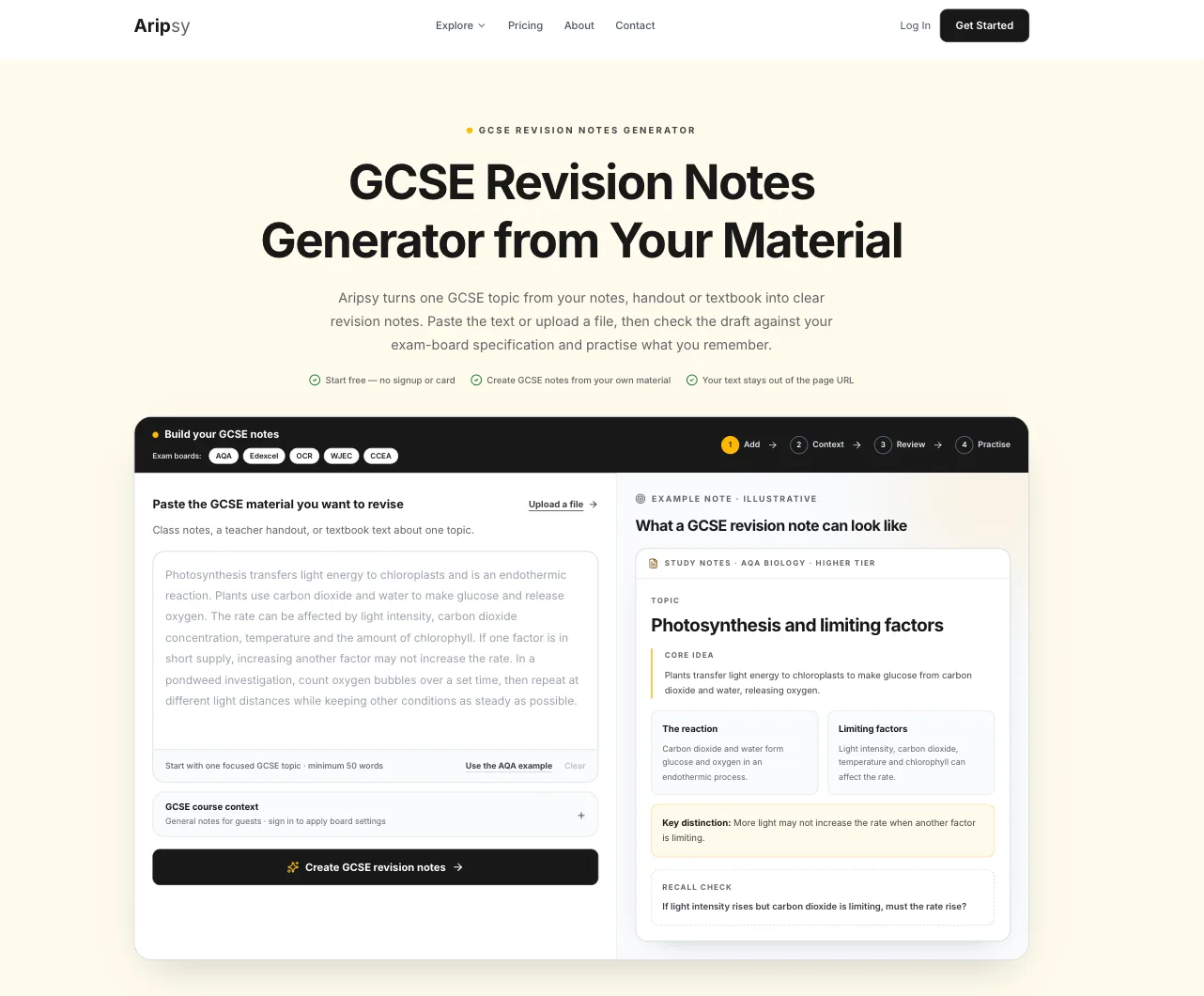
Aripsy is a web app built around one workflow: paste a section of notes or upload a file, choose your subject, level and exam board, and generate notes, flashcards, MCQs, fill-in-the-blank practice and short-answer questions from it. Short answers of one to four marks are checked against marking points generated from your own source, with an estimated mark and one improvement suggestion. The marking points are not an official mark scheme, and uncertain results are flagged.
- Company: Aripsy, founded by Amin Mudassir (LinkedIn)
- Platforms: Web
- Price: Pro is $7.99 a month or $49.99 a year (pricing)
- Free tier: 15 AI study packs a month, up to 5 a day, and one successful document upload a month after sign-in. Notes can be tried without an account.
- Own material: Pasted text, PDF, PowerPoint, Word and audio files up to 15 minutes
- Exam-board context: Saved settings for AQA, Edexcel, OCR, IB, AP, SAT and more shape every output
- Practice types: Notes, flashcards, MCQs, fill-in-the-blank and marked short answers (MCQs and fill-in-the-blank on Pro)
Where it is weaker: there is no library of ready-made content, so if you have no notes for a topic you need another source first. AI output can contain errors, so check definitions, formulae and quotations against the specification before you memorise them.
Best suited for: students who already have class notes, handouts or a textbook PDF and want exam-board-aware practice generated from them.
2. Save My Exams: best for an expert-written library mapped to your specification
Save My Exams homepage showing exam-specific revision resources
Save My Exams is a revision library rather than a generator. Subject experts write notes, topic questions, flashcards and mock exams for each GCSE, IGCSE, A-Level and IB specification, and the site is organised by board, so AQA Biology and Edexcel Biology are separate paths. Smart Mark gives feedback on written answers against the site’s own marking points.
- Company: Save My Exams Ltd, London, launched 2017 (about)
- Platforms: Web only; the company says there is no dedicated app (help)
- Price: Essential £5 a month billed as £60 a year, Premium £10 a month billed as £120 a year, in the UK 12-month offer reviewed on 28 September 2026 (join page). The join page served US dollar prices on 15 October 2026, so the price you see depends on your location.
- Free tier: A weekly allowance of revision notes, limited exam questions, unlimited past-paper downloads and flashcards (free plan)
- Own material: Not the main workflow; the library is the product
- Exam-board context: Content written per specification for AQA, Edexcel, OCR, WJEC, CCEA and Cambridge
- Practice types: Topic questions, mock exams, flashcards and Smart Mark answer checking
Where it is weaker: it cannot work from your own notes, so it will not know what your teacher emphasised, and the yearly price is higher than Aripsy’s in the reviewed offer.
Best suited for: students who want ready-made, specification-mapped notes and past-paper practice without generating anything. See the full Save My Exams vs Aripsy comparison.
3. NotebookLM: best free tool for questioning a set of trusted sources
NotebookLM, which Google announced it is renaming Gemini Notebook in July 2026, lets you add a specification, handouts, revision guides and class notes to one notebook and ask questions that are answered only from those sources, with citations. It can generate study guides, flashcards, quizzes and Audio Overviews from the notebook.
- Company: Google LLC, launched July 2023 (announcement)
- Platforms: Web, iOS, Android
- Price: Google AI Plus $4.99 a month and Google AI Pro $19.99 a month on Google’s US Gemini subscriptions page on 16 October 2026 (plans); no yearly price was shown. Eligible students outside the US can claim a free year of AI Plus, then $4.99 a month (Google blog)
- Free tier: Standard access with 100 notebooks and 50 sources per notebook (help)
- Own material: PDFs, websites, YouTube links, audio, Google Docs and Slides
- Exam-board context: None; it knows only what is in your sources
- Practice types: Flashcards, quizzes, study guides and Audio Overviews
Where it is weaker: no exam-board setting, no fill-in-the-blank mode in the reviewed help page, and no marking of written answers. If a required equation or practical is missing from your sources, it cannot fill the gap. Access can depend on account age and school settings.
Best suited for: students with a complete pack of trusted documents who want to question and compare them before making revision material. See Aripsy vs NotebookLM.
4. Quizlet: best for familiar flashcard modes and shared sets
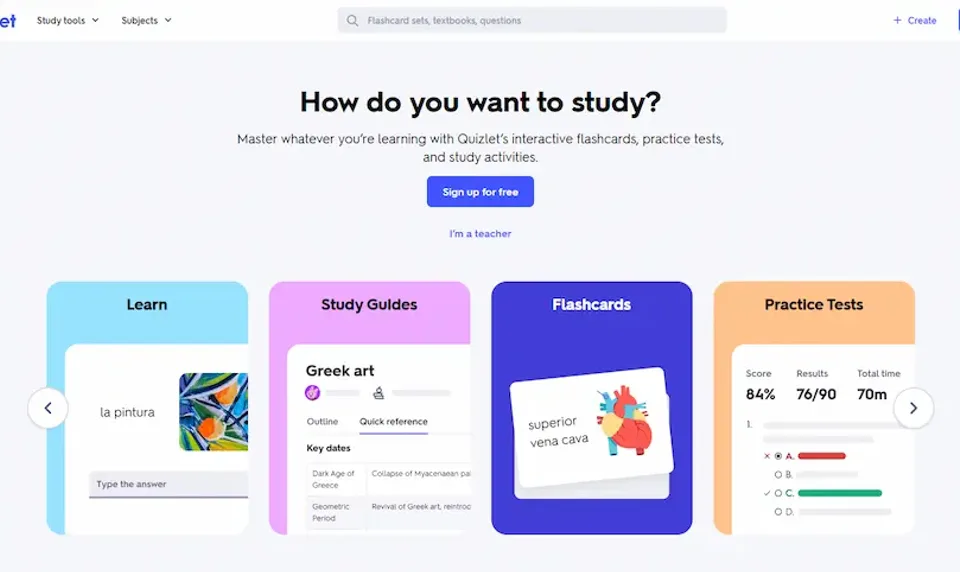
Quizlet is the flashcard app most GCSE students have already used. It combines flashcards with Learn, Test, written and fill-in-the-blank modes and a large library of shared sets, some of which teachers build for their classes. AI study guides and some AI card creation are available, with advanced access on paid plans.
- Company: Quizlet Inc, San Francisco, founded 2005 (Wikipedia)
- Platforms: Web, iOS, Android
- Price: Quizlet Plus $7.99 a month or $35.99 a year, Plus Unlimited $9.99 a month or $44.99 a year, in the US offer reviewed on 28 September 2026 (plans). App-store prices were higher on 15 October 2026.
- Free tier: Unlimited sets of your own and the core study modes, with ads (subscriptions)
- Own material: Your own sets, notes and documents; AI tools on uploads vary by plan
- Exam-board context: No setting for your own material; shared sets are searched by topic
- Practice types: Flashcards, Learn, Test, written and fill-in-the-blank questions
Where it is weaker: a shared set may follow a different board, older terminology or incomplete coverage, so treat every public set as a draft to check. The Q-Chat tutor was retired in June 2025.
Best suited for: students who want ready-made vocabulary and definition sets and familiar study modes. See Aripsy vs Quizlet, or the Quizlet alternatives for AI flashcards if you are thinking of switching.
5. Knowt: best for unlimited free sets and board-organised GCSE hubs
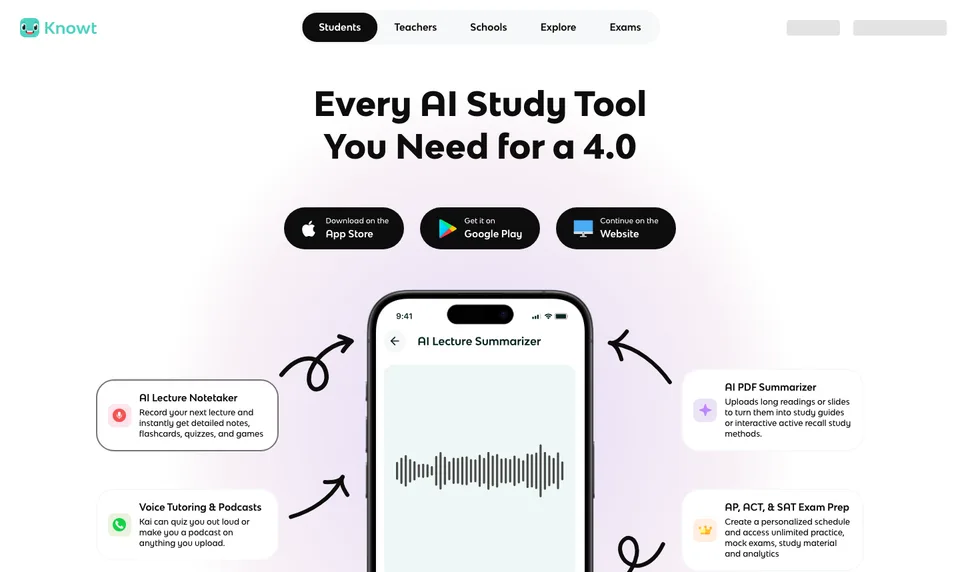
Knowt started as a Quizlet import tool and has grown into a flashcard and notes platform with practice tests, mock exams and an AI assistant. Its GCSE hubs are organised by board, with separate paths for AQA, Edexcel, OCR, WJEC, Eduqas and CCEA, alongside AP, IB and SAT hubs.
- Company: Knowt Inc., United States, founded 2019 (LinkedIn)
- Platforms: Web, iOS, Android
- Price: Ultra $24.99 a month or $149.99 a year (plans)
- Free tier: Unlimited sets, notes and study modes on your own sets, with defined AI and exam-prep limits and ads
- Own material: Your own sets, notes, lecture and document uploads
- Exam-board context: Ready-made hubs by board (GCSE Biology AQA); no board setting applied to your own uploads
- Practice types: Flashcards, Learn mode, practice tests and mock exams
Where it is weaker: Ultra is the most expensive yearly plan in this list, and the AI creation flow we reviewed did not let you choose an exam board before generating from your own source. Test a small import before moving a large library.
Best suited for: students who want unlimited free flashcard sets plus board-organised GCSE and AP resources. See Aripsy vs Knowt.
6. Anki: best for long-term spaced repetition you control
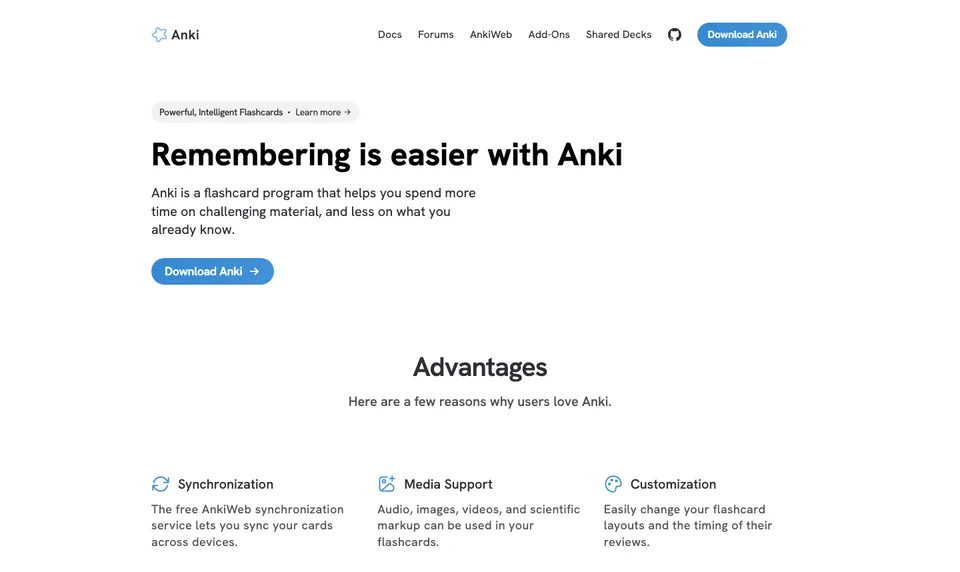
Anki is a flashcard program built around spaced repetition: it shows you a card again just before you would forget it. It is a community project with free desktop, AnkiWeb sync and AnkiDroid versions, and a paid iOS app that funds development. It has no AI generation of its own; cards come from you, shared decks or an AI tool you use first.
- Company: Community project; Anki is a registered trademark of Ankitects Pty Ltd (Anki)
- Platforms: Windows, macOS, Linux, Android (AnkiDroid) and iOS (AnkiMobile)
- Price: Free on desktop, AnkiWeb and Android; AnkiMobile is a one-off $24.99 on the US App Store (App Store)
- Free tier: The full program, with no limits, on every platform except iOS
- Own material: Cards you write or import; no document upload or generation
- Exam-board context: None
- Practice types: Flashcards and cloze cards with spaced repetition
Where it is weaker: preparation. You decide what belongs on each card, write it and check it, and the interface takes time to learn. A small accurate deck beats a large unchecked one.
Best suited for: students keeping a checked deck of definitions, formulae, quotations and practical details for repeated review over months. See Anki vs AI flashcards for a workflow that generates a draft deck first.
Side-by-side comparison
Scores reflect the criteria above on the dates shown. “Yearly” is the cheapest paid plan billed for a year where the vendor offers one.
| Tool | Yearly price | Your own material | Exam-board context | Practice types | Free tier |
|---|---|---|---|---|---|
| Aripsy | $49.99 | Text, PDF, PowerPoint, Word, audio | Saved board and level settings shape output | Notes, flashcards, MCQs, fill-in-the-blank, marked short answers | 15 packs a month, 1 document upload |
| Save My Exams | £60 (UK offer) | Not the main workflow | Written per specification by board | Topic questions, mocks, flashcards, Smart Mark | Weekly allowance of notes and questions |
| NotebookLM | $9.99 a month, no yearly plan shown | PDFs, web, YouTube, audio, Docs, Slides | None | Flashcards, quizzes, study guides, Audio Overviews | 100 notebooks, 50 sources each |
| Quizlet | $35.99 | Own sets, notes, documents | None for own material | Flashcards, Learn, Test, written, fill-in-the-blank | Unlimited own sets, with ads |
| Knowt | $149.99 | Own sets, notes, uploads | Hubs by board; none for own uploads | Flashcards, Learn, practice tests, mocks | Unlimited own sets, with ads and AI limits |
| Anki | Free; $24.99 one-off on iOS | Cards you write or import | None | Flashcards, cloze | Everything, except the iOS app |
Which tool fits your GCSE situation
| Your situation | Start with | Why |
|---|---|---|
| You have class notes or a textbook PDF and an exam in weeks | Aripsy | Generates board-aware notes and practice from what you already have |
| You have no notes for a topic | Save My Exams | Expert-written, specification-mapped content you can revise from immediately |
| You have a pack of handouts and want to question them | NotebookLM | Answers only from your sources, with citations, free |
| Your teacher shares Quizlet sets | Quizlet | Stay in the shared sets, but check each one against the specification |
| You want unlimited free flashcards and board-organised hubs | Knowt | Broad free tier plus GCSE hubs by board |
| You are revising over several months | Anki | The most precise scheduler, once the cards are checked |
| You revise several subjects at once | Aripsy plus the revision timetable generator | One workflow across subjects, with a plan built around your exam dates |
| You are practising exam technique | Official past papers and mark schemes | AI questions are supplementary; the real papers show format and marking |
Where the official exam-board resources fit
AI tools organise and transform material; official resources define the target. Whatever tool you use, check the current AQA, Pearson Edexcel, OCR, WJEC, CCEA or Cambridge International specification for the topics assessed, the command words, required practicals, formulae and the balance between knowledge and application. Then use past papers and mark schemes to test timing and wording. AI can help you practise the distinction between describe and explain, but it should not be treated as the final marking authority.
How to use AI without weakening your revision
Ask for retrieval, not summaries. A summary makes a page feel familiar; a question you must answer without looking tells you whether you know it. Keep each input to one topic or lesson so the output is easy to check. Use AI to explain and to generate a first practice set, and use your teacher, the specification and past papers to judge whether an answer meets GCSE expectations. Remove names and private details before using any third-party service, and do not upload assessment materials your school has not cleared. Verify quotations word for word, along with definitions, units, dates and practical variables, and delete any wrong card before it becomes a repeated memory.
FAQ
What is the best AI study tool for GCSE?
It depends on what you start with. If you have your own notes or a PDF, Aripsy generates exam-board-aware notes and practice from them. If you have nothing for a topic, Save My Exams has expert-written content for each specification. For questioning a pack of documents, NotebookLM is free and cites its sources.
What is the best free AI study tool for GCSE?
NotebookLM’s standard tier is the most generous free option for working from your own documents. Quizlet and Knowt give unlimited free sets with ads. Aripsy Free allows 15 study packs a month and one document upload. Anki is fully free on desktop and Android.
How much do GCSE AI study tools cost for a year?
In the offers reviewed: Aripsy Pro $49.99, Quizlet Plus $35.99, Save My Exams Essential £60, Knowt Ultra $149.99, NotebookLM’s Google AI Plus $4.99 a month with no yearly plan shown, and Anki free except for the $24.99 iOS app. Prices vary by country and change often, so check each pricing page.
How do I check whether an AI tool knows my exam board?
Look for a setting you choose before generating, not just a hub you browse. Aripsy and Save My Exams work by board. Knowt organises its hubs by board but did not apply a board to our own uploads. NotebookLM, Quizlet and Anki have no board setting, so you supply the right material yourself.
What should I verify in AI-generated revision material?
Quotations word for word, scientific definitions, formulae and units, dates and interpretations in History, required practical variables, and command-word phrasing. Compare each against the specification or your textbook before you memorise it.
How can AI mark my written GCSE answers?
Aripsy checks short answers of one to four marks against marking points it generates from your own source, with an estimated mark and one improvement suggestion, and flags uncertain results. Save My Exams’ Smart Mark checks answers against its own marking points. Neither is an official mark scheme, so use past papers and official mark schemes for exam technique.
What is the safest way to use AI for revision?
Use it for explanation, organisation and retrieval practice on material you are allowed to share, check important facts against your specification or source, protect personal data, and never submit AI-generated work as your own assessed work.
Final recommendation
Start with the tool that removes your biggest bottleneck. Messy notes or a dense PDF: try Aripsy with one topic, check the output, and turn it into recall practice. No notes at all: Save My Exams. A pack of trusted documents to question: NotebookLM. A long-term deck: Anki. In every case, keep the specification, past papers and mark schemes in the loop. For a wider comparison beyond GCSE, read the best AI-powered study apps for students in 2026.
Sources
- Aripsy pricing
- Save My Exams about, join page, free plan and app availability
- NotebookLM launch, Gemini Notebook rename, plans, student offers and plan limits
- Quizlet plans, subscription types and Wikipedia
- Knowt plans, GCSE hub and LinkedIn
- Anki and AnkiMobile on the App Store
- The Learning Scientists: retrieval practice and spaced practice
Keep exploring
AI Study Tools
Compare AI study apps by the job they do, the material they accept, and how easily students can check the output.
Explore AI Study Tools guides
Written by
Aripsy Study Team
The Aripsy Study Team creates practical revision guides designed to support learning, source checking, and active practice.