Does Anki Use AI? Anki vs Aripsy for Flashcards and Spaced Repetition
Anki does not generate flashcards with AI: its optional FSRS scheduler fits review intervals to your history, but every card is written or imported by you. Aripsy generates flashcards, notes, MCQs and marked short answers from your own material with an exam-board setting. Choose Anki for free, precise long-term scheduling of a checked deck; choose Aripsy when making the cards is the bottleneck; use both by exporting from Aripsy Pro into Anki. Checked 15 October 2026.
 Aripsy Study Team
In this article11
Anki does not use AI to write flashcards. Its optional FSRS scheduler fits review intervals to your history, but you supply every card. Aripsy generates the cards from your material. This guide is for students deciding whether they need a scheduler, a generator, or both.
Aripsy publishes this comparison and is one of the two products in it. Anki’s features were read from its own manual and website, and Aripsy’s from its pricing and help pages, on the dates linked below.
Key takeaways
- Anki is the better choice if your cards already exist: the full program is free on desktop, AnkiWeb and Android, and its optional FSRS scheduler is the most precise review system in this comparison.
- Aripsy is the better choice if your cards do not exist yet: it generates flashcards, notes, MCQs, fill-in-the-blank practice and marked short answers from pasted text, a PDF, slides, a Word file or a short recording, with an exam-board setting. Pro is $7.99 a month or $49.99 a year.
- Anki scores highest on price and free tier, and Aripsy on own material, exam-board context and practice types, so the ranking below is three criteria to two, not a rout.
- Aripsy Pro into Anki is the combined workflow: generate and check in Aripsy, export a tab-separated file, schedule the review in Anki.
- Anki add-ons are where any AI generation would come from; they are third-party and outside the core product, so this post compares Anki as shipped.
What an AI flashcard generator actually is (and what it is not)
An AI flashcard generator reads material you give it and writes the cards: it picks what looks testable, phrases a prompt, and supplies an answer drawn from the source. Aripsy does this from pasted notes or an uploaded document, and goes further than cards, producing structured notes, multiple-choice questions, fill-in-the-blank items and short-answer questions it checks against marking points generated from your source, with an estimated mark. Those marking points are not an official mark scheme, and the output is a draft until you have read it against the original.
Anki is not that kind of tool, and the confusion comes from the word “algorithm”. Anki’s manual describes FSRS, the Free Spaced Repetition Scheduler, as an alternative to its legacy SM-2 algorithm (deck options). When you switch it on and click Optimize, FSRS analyses your review history and fits scheduling parameters to it, and a desired-retention setting decides how likely you should be to remember a card when it comes due. That is statistical modelling of your memory, and it is genuinely adaptive, but it writes nothing. Every card in an Anki collection was typed by someone, imported from a file or downloaded as a shared deck.
So the honest answer to “does Anki use AI” depends on what the asker means. If they mean “does it adapt the schedule to me”, yes, optionally. If they mean “will it make flashcards from my lecture notes”, no, not without a third-party add-on, and add-ons sit outside the product the Anki manual documents. What neither tool is: a judge of which cards deserve to exist. A generated card can be wrong and a hand-written card can be vague, and a good scheduler will repeat either one for months.
How we ranked these tools
These are the five criteria every comparison on this site uses, so the result can be checked against other pages. We read each product’s pricing, help and manual pages on the dates shown. There is no controlled study comparing learning outcomes from Anki and Aripsy, so this ranking reflects features and prices, not measured results.
- Price for a year of paid access. The cheapest paid plan billed yearly, in the vendor’s displayed currency; free scores highest.
- Works from your own material. Which inputs are accepted and whether the tool generates from them or only stores what you type.
- Exam-board and curriculum context. Whether a saved board or level setting shapes what you get.
- Practice types generated. The formats produced from one source.
- What the free tier allows. The published caps on the free plan.
Anki wins the first and fifth criteria outright. Aripsy wins the second, third and fourth. On that count Aripsy is listed first, but the two criteria Anki wins are the ones that matter most to a student who already has a deck, and scheduling depth, which is not scored, is Anki’s clearest advantage. Prices and limits were checked on 15 October 2026.
Anki vs Aripsy compared
1. Aripsy: best for turning your own material into checked flashcards and practice
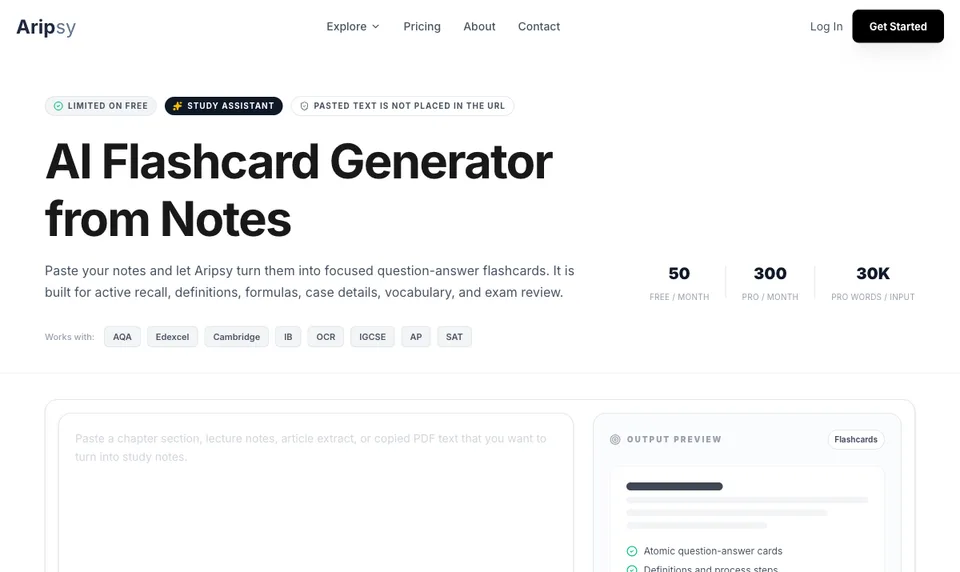
Aripsy is a web app for the step before review. You paste a section of notes or upload a file, set subject, level and exam board, and it generates a study pack: notes, flashcards, and on Pro multiple-choice and fill-in-the-blank questions. Short answers of one to four marks are checked against marking points generated from your own source, with an estimated mark and a suggestion; uncertain checks are flagged. Flashcard review inside Aripsy is a simple due-card loop with recall ratings, not a tuned scheduler.
- Company: Aripsy, founded by Amin Mudassir (LinkedIn)
- Platforms: Web
- Price: Pro $7.99 a month or $49.99 a year (pricing)
- Free tier: 15 AI study packs a month, up to 5 a day, and one successful document upload a month after sign-in; notes can be tried without an account
- Own material: Pasted text, PDF, PowerPoint, Word and audio up to 15 minutes
- Exam-board context: Saved settings for AQA, Edexcel, OCR, IB, AP, SAT and more
- Practice types: Notes, flashcards, MCQs, fill-in-the-blank and marked short answers; MCQs and fill-in-the-blank are Pro features
- Export: PDF, Markdown and an Anki-importable tab-separated file on Pro (pricing, export guide)
Where it is weaker: scheduling and control. There are no deck options, no retention target, no custom note types or image occlusion, no offline app, and no way to fine-tune intervals. A deck you mean to keep for a year is better off in Anki once it is checked. The free tier’s single document upload a month means PDF-heavy students will be pasting text or paying.
Best suited for: students who have the source but not the cards, and who want more than flashcards from it. For the broader flashcard-app picture, see the best flashcard apps for students.
2. Anki: best for free, precise spaced repetition of cards you already trust
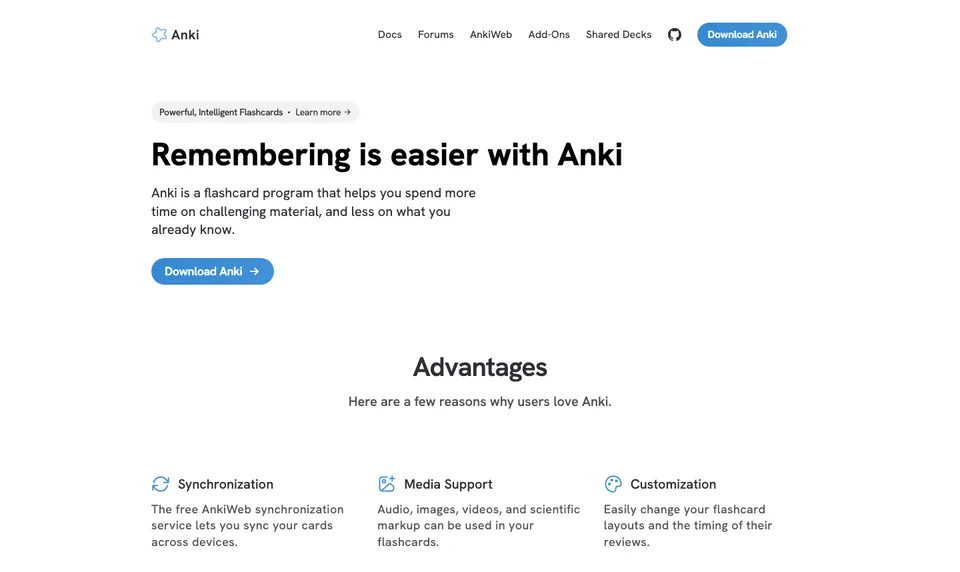
Anki is a community-maintained flashcard program with free desktop, AnkiWeb and Android versions and a paid iOS app. Its built-in note types include Basic, Cloze and Image Occlusion, the editor supports MathJax and media, and the optional FSRS scheduler fits itself to your review history (editing, deck options). The manual’s own advice is to spend a few weeks with the defaults before changing deck options, which is both reassuring and a warning about how much there is to change.
- Company: Community project; Anki is a registered trademark of Ankitects Pty Ltd (Anki)
- Platforms: Windows, macOS, Linux, Android (AnkiDroid) and iOS (AnkiMobile)
- Price: Free on desktop, AnkiWeb and Android; AnkiMobile is a one-off $24.99 on the US App Store (App Store)
- Free tier: The complete program, with no limits, everywhere except iOS
- Own material: Cards you write or import; no document upload and no generation
- Exam-board context: None
- Practice types: Flashcards and cloze cards with spaced repetition
Where it is weaker: the hours before the first review. Deciding what deserves a card, writing an unambiguous prompt and checking it against the source is all on you, and a shared deck only helps if it matches your course and someone checked it. The split client model means a separate app per platform, and the iOS app is paid.
Best suited for: students with a reliable deck, or the patience to build one, who want detailed long-term scheduling for nothing. If the build cost is what puts you off, the Anki alternatives for students post ranks the options.
Side-by-side comparison
One column per criterion, as published on the dates linked above.
| Tool | Yearly price | Your own material | Exam-board context | Practice types | Free tier |
|---|---|---|---|---|---|
| Aripsy | $49.99 | Text, PDF, PowerPoint, Word, audio to 15 minutes; generates from them | Saved board and level settings | Notes, flashcards, MCQs, fill-in-the-blank, marked short answers | 15 packs a month, 5 a day, 1 document upload |
| Anki | Free; $24.99 one-off on iOS | Cards you write or import; nothing generated | None | Flashcards, cloze | The whole program, except the iOS app |
Which tool fits your situation
| Your situation | Start with | Why |
|---|---|---|
| A finished, checked deck and months of review ahead | Anki | Free, offline, and the FSRS scheduler adapts to you |
| A PDF, slide deck or handout and no cards yet | Aripsy | Generates the first draft with your board setting applied |
| You need MCQs or marked written answers as well as cards | Aripsy | Anki produces neither |
| You want custom templates, image occlusion or MathJax | Anki | Built-in note types and editor support |
| Generated cards now, long-term review later | Aripsy Pro, then Anki | Export the checked cards and let Anki schedule them |
| Lecture notes you want as cards tonight | Aripsy’s flashcard generator from notes | A focused draft to read before you commit it to any scheduler |
| No budget at all | Anki, or Aripsy Free for 15 packs a month | Both have a free path; Anki’s has no cap |
How Anki’s scheduler differs from generative AI
The two kinds of “AI” answer different questions. FSRS answers “when should this card come back?” by modelling your memory from past reviews: it estimates how stable each memory is and spaces the next review so you meet your chosen retention target. It never reads the card’s content. A generative tool answers “what should the card say?” by reading your source and writing a prompt and answer; it has no idea how well you remember anything.
That is why the research behind each is different. Spaced practice is supported by a quantitative review of distributed-practice studies by Cepeda and colleagues, which found the best gap depends on how long you need to retain the material, and retrieval practice by Roediger and Karpicke’s experiments on educational prose, where testing beat repeated study for delayed retention. Anki is an implementation of those findings. A generator is a drafting aid, and there is no comparable body of evidence that generated cards are better or worse than hand-written ones; what the evidence does say is that the card has to be retrievable and correct.
When to use both: an Aripsy-to-Anki workflow
- Pick one topic. One lecture, one sub-chapter, one specification section. Small enough to read every card.
- Generate notes in Aripsy first. Check headings, definitions, equations and exceptions against the source before you make cards from them.
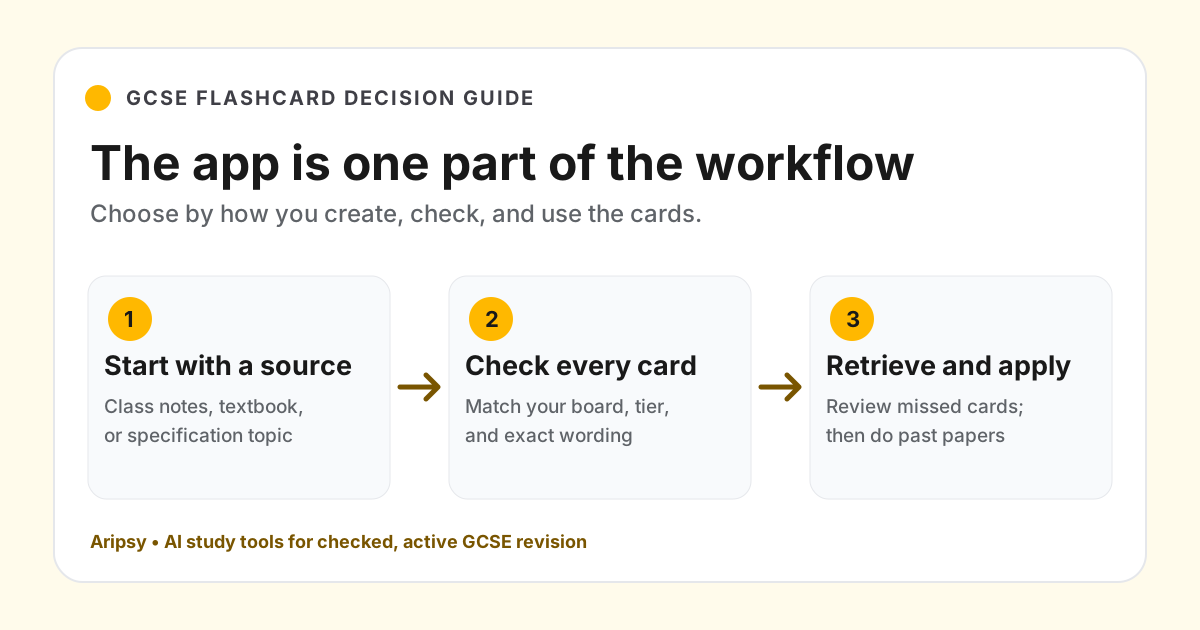
- Generate the draft flashcards. Then apply the six-point check: confirm every answer against the source; delete duplicates and low-value cards; split prompts that test two ideas; replace “explain this” with a named concept; verify numbers, units, conditions and quotations; keep only cards with one clear retrieval target.
- Try them in Aripsy once. Mistakes show you weak prompts and missing concepts while editing is still cheap.
- Export on Pro. The export menu’s Anki option downloads a tab-separated .txt with Front, Back and Tags columns, not an .apkg deck (guide).
- Import and schedule in Anki. Confirm the field mapping, start with the default deck options, and let review history build before you turn on FSRS or change retention.
This is the sequence to use when Anki’s scheduler appeals and its blank Add screen does not.
FAQ
What does “does Anki use AI” actually mean?
Two different things. Anki’s optional FSRS scheduler is adaptive: it fits review intervals to your history. Anki does not generate cards; every card is written, imported or downloaded. Only third-party add-ons, outside the documented product, could add generation.
What is the difference between FSRS and an AI flashcard generator?
FSRS decides when a card returns, by modelling your memory from past reviews, and never reads the card’s content. A generator such as Aripsy decides what the card says, by reading your source, and knows nothing about your memory. They are complementary rather than rivals.
How much do Anki and Aripsy cost for a year?
Anki is free on desktop, AnkiWeb and Android, with a one-off $24.99 for AnkiMobile on the US App Store. Aripsy Pro is $49.99 a year or $7.99 a month, with a free tier of 15 study packs a month. Both were checked on 15 October 2026.
How do I get Aripsy flashcards into Anki?
On Aripsy Pro, open a session with flashcards, choose Anki in the export menu, and download the tab-separated text file. In Anki, import it, check that the columns map to Front, Back and Tags, and review a few cards before studying.
What is Aripsy’s review like compared with Anki’s?
Aripsy’s review is a simple due-card loop with recall ratings and no scheduling options. Anki offers deck presets, learning steps, daily limits and the FSRS scheduler with a retention target. For a deck you will revisit over months, Anki’s review is the stronger one.
How should I check an AI-generated deck before memorising it?
Read every answer against the original source, delete duplicates, split cards that ask two things, swap vague prompts for a named concept, and check numbers, units, definitions, exceptions and quotations word for word. Keep only cards with one retrieval target.
What should I use for GCSE, A-Level, IB or AP revision?
Aripsy if you are starting from class notes or a textbook PDF and want the board setting applied to notes, cards and practice. Anki if the cards exist and the exam is months away. Neither guarantees syllabus coverage, so keep the specification and past papers in the loop.
Final recommendation
If the question behind “does Anki use AI” is really “can Anki make my cards for me”, the answer is no, and that is the decision point. Students with a checked deck should use Anki: it is free, offline, and its scheduler is the best of the two by a distance. Students with a source and no cards should start in Aripsy with one topic, read what it produces, and keep only what survives. The strongest setup for an exam months away is both in sequence: draft and check in Aripsy, export, and let Anki carry the review. For the three-way version that adds RemNote, read RemNote vs Anki vs Aripsy.
Sources
Keep exploring
AI Study Tools
Compare AI study apps by the job they do, the material they accept, and how easily students can check the output.
Explore AI Study Tools guides
Written by
Aripsy Study Team
The Aripsy Study Team creates practical revision guides designed to support learning, source checking, and active practice.