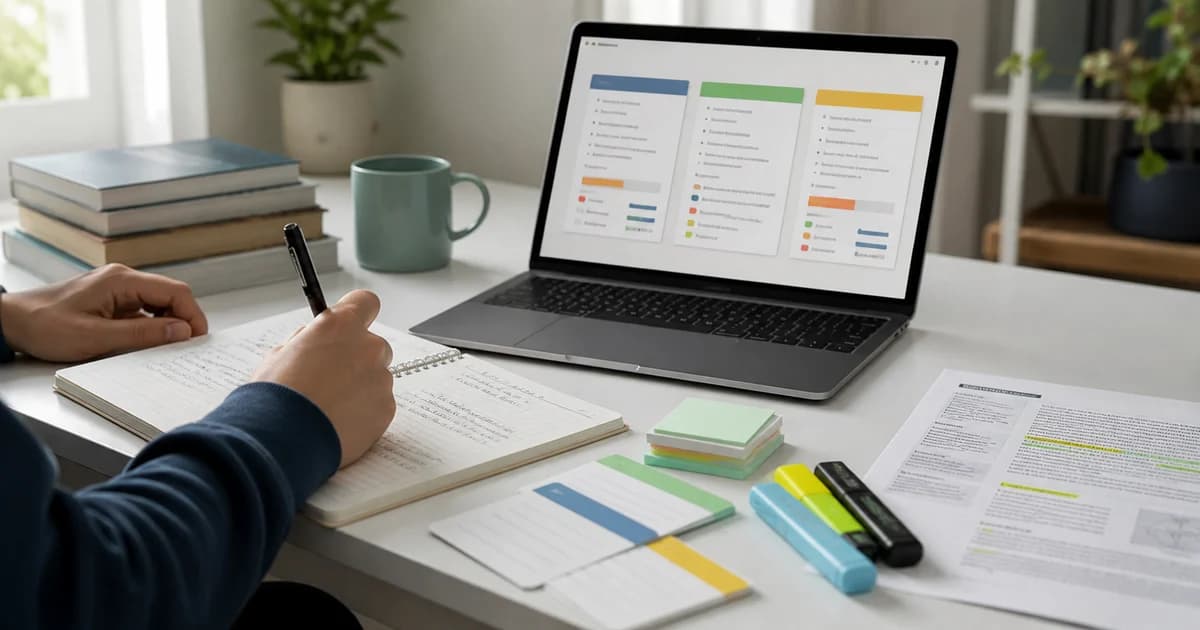
How to Turn Textbooks into Flashcards (AI Workflow & Anki Export)
Learn how to convert heavy textbook chapters into active-recall flashcards using AI. Step-by-step workflow from chapter selection to Anki export.
Create flashcards from your notes
Textbooks are full of valuable information, but reading through 400-page volumes is one of the slowest ways to revise. Passive rereading creates the Illusion of Competence—you feel familiar with the text while reading, but struggle to recall definitions or steps during exam time.
To retain textbook material efficiently, you need to convert passive chapters into active recall tools: flashcards, MCQs, and practice prompts.
This step-by-step guide explains how to turn heavy textbook chapters into flashcards using AI, how to avoid common card-creation mistakes, and how to export your card decks to Anki or PDF.
Quick Answer: How Do You Turn a Textbook into Flashcards?
To convert a textbook chapter into flashcards:
- Focus on one section at a time (e.g., 3–5 pages under a single heading).
- Copy the text or upload the chapter PDF into Aripsy.
- Generate structured notes first to check key definitions and process steps.
- Convert checked notes into flashcards using atomic, one-idea-per-card rules.
- Export your verified cards to Anki (available on Pro) for long-term spaced repetition.
Step 1: Divide the Textbook by Subheading (Don’t Upload Whole Books)
Trying to convert an entire 50-page chapter into flashcards at once leads to generic, redundant, or overwhelming card decks.
Instead, split your reading into bite-sized units:
- Ideal Chunk Size: 3 to 5 pages focusing on a single core subtopic (e.g. Cellular Respiration: Glycolysis, or Supply & Demand Elasticity).
- Extract Clean Text: Copy the text from your digital textbook or upload the text-based PDF chapter into Aripsy Pro.
Step 2: Use Atomic Flashcard Rules (1 Idea Per Card)
The secret to effective flashcard revision is atomicity: each flashcard should test exactly one concept.
| Weak Flashcard (Too Broad) | Strong Atomic Flashcard (Aripsy Style) |
|---|---|
| “Explain the process of Osmosis and give 3 examples.” | Front: “What is Osmosis?”<br>Back: “The net movement of water molecules from a high to low water potential across a partially permeable membrane.” |
| “List all factors affecting enzyme action.” | Front: “How does temperature above optimum affect enzyme activity?”<br>Back: “Denatures the active site by breaking hydrogen bonds, stopping substrate binding.” |
Step 3: Verify & Clean Up Draft Cards
AI generates draft flashcards in seconds, but you must check them before starting your revision sessions.
Review your generated card set against your syllabus:
- Check Exact Terminology: Ensure definitions match your specific exam board mark scheme (e.g., AQA, Edexcel, IB, AP).
- Remove Duplicate Cards: Delete cards that test the exact same concept in different words.
- Add Exam Hacks: Include key units, formula symbols, or evaluation tags on the back of cards where appropriate.
Step 4: Export to Anki or PDF for Spaced Repetition
Once your cards are verified, daily retrieval practice is essential for long-term retention.
- Markdown / Plain Text (Free Plan): Copy card text into your digital note-taking system.
- Anki Export (Pro Plan): Download your generated card set as an Anki-importable tab-separated
.txtfile, import it into Anki, and use Anki’s scheduling tools for review over time.
Side-by-Side: Manual Flashcard Creation vs. Aripsy AI Workflow
| Step | Manual Creation (Handwritten / Typing) | Aripsy AI Textbook Workflow |
|---|---|---|
| Creation Time | Depends on chapter length and card detail | Generates a draft set for review from each focused section |
| Active Recall Setup | High friction, leads to fatigue | Instant interactive flip cards & MCQ quizzes |
| Format Flexibility | Depends on the chosen card system | Markdown export (Free); PDF and Anki-importable tab-separated .txt export (Pro) |
| Syllabus Focus | Risk of copying non-testable fluff | Focuses on definitions, processes, & misconceptions |
Aripsy Plan Limits for Textbook Processing
- Guest Users: Up to 3 AI generations per day, 15 per month, and 2,000 words per input text paste.
- Free Logged-In Users: 50 AI generations per month (up to 10 per day, up to 5,000 words per paste). Includes notes and flashcard generation.
- Pro Users: 300 AI generations per month (no daily cap, up to 30,000 words per paste), direct PDF, PowerPoint (.pptx), and Word (.docx) uploads up to 15MB, interactive MCQs, fill-in-the-blank practice, no separate flashcard cap within that monthly allowance, and Anki-importable tab-separated
.txtexport.
Frequently Asked Questions (FAQ)
Can I upload an entire textbook PDF at once?
It is best to process one chapter or section at a time (up to 15MB on Pro). Processing smaller sections ensures higher card accuracy and prevents context truncation.
How do I import Aripsy flashcards into Anki?
On Aripsy Pro, click Export, select Anki format, and download the tab-separated .txt file. In Anki, select File -> Import, choose the file, confirm the field separator and front/back mapping, then import the cards.
Is reading a textbook summary enough for exams?
No. A summary helps you understand the layout of a chapter, but self-testing with flashcards and practice questions is required to retain key facts under exam pressure.
Related Revision Resources
Example study workflow
Build recall cards from material you have checked:
Start with a short set of verified notes. Turn one fact or relationship into each card, remove duplicate prompts, and review difficult cards again after a delay instead of only rereading them.
Which workflow should you use?
| Need | Best next step | Aripsy path |
|---|---|---|
| Understand a source | Create structured notes, then verify details. | PDF to notes |
| Remember key facts | Convert definitions and errors into recall cards. | Flashcards |
| Test exam readiness | Use MCQs and mistake review after notes. | Quiz and MCQ practice |
Related study paths
Editorial note
Aripsy articles are written for educational support and exam revision. We review posts for clarity, plan-limit accuracy, permission-aware upload guidance, and cautious AI-use guidance. AI-generated study materials can contain errors, so students should review important points against their source material, syllabus, or mark scheme.
Turn long notes
into revision.
Free users can paste text within Free limits to create notes and limited flashcards. Pro users can upload PDF, PowerPoint, and Word files up to 15MB and generate extra practice formats such as MCQs and fill-in-the-blanks.
Input material
Paste text or upload documents on Pro
Choose focus
Set subject, level and exam board
Revise actively
Review notes, flashcards and practice
Written by
Aripsy Study Team
The Aripsy Study Team writes and reviews practical revision guides for clarity, plan-limit accuracy, and safe exam-use guidance. Articles are designed to support learning, not replace course feedback or source checking.