YouTube to notes · Free account · Chrome extension or paste
YouTube video to notes, flashcards and practice questions
Aripsy turns a YouTube lecture's transcript into exam-style notes, flashcards and practice questions with mark schemes, free with an Aripsy account.In Chrome on a computer, add the extension and press Make on the lecture. On a phone or another browser, paste the transcript below.
 Add to Chrome, it's free
The extension runs in Chrome on a computer. On a phone, Safari or Firefox, read this first.The Chrome Web Store listing is in review. Use the study tool meanwhile.
What one lecture gives you
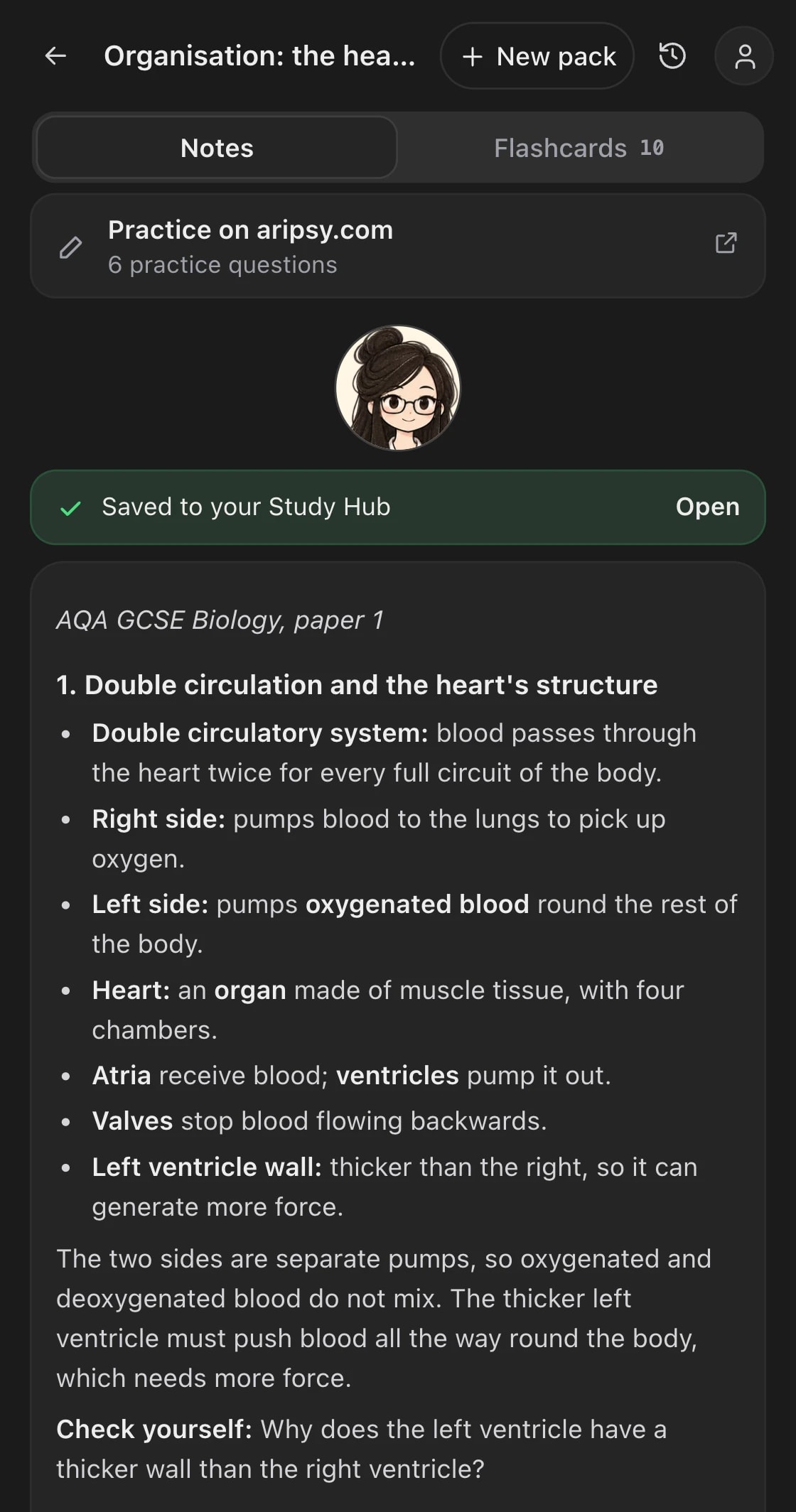
Revision notes from the lecture
Short sections for your course, an exam trap where students lose marks, and a one-minute recap at the end.
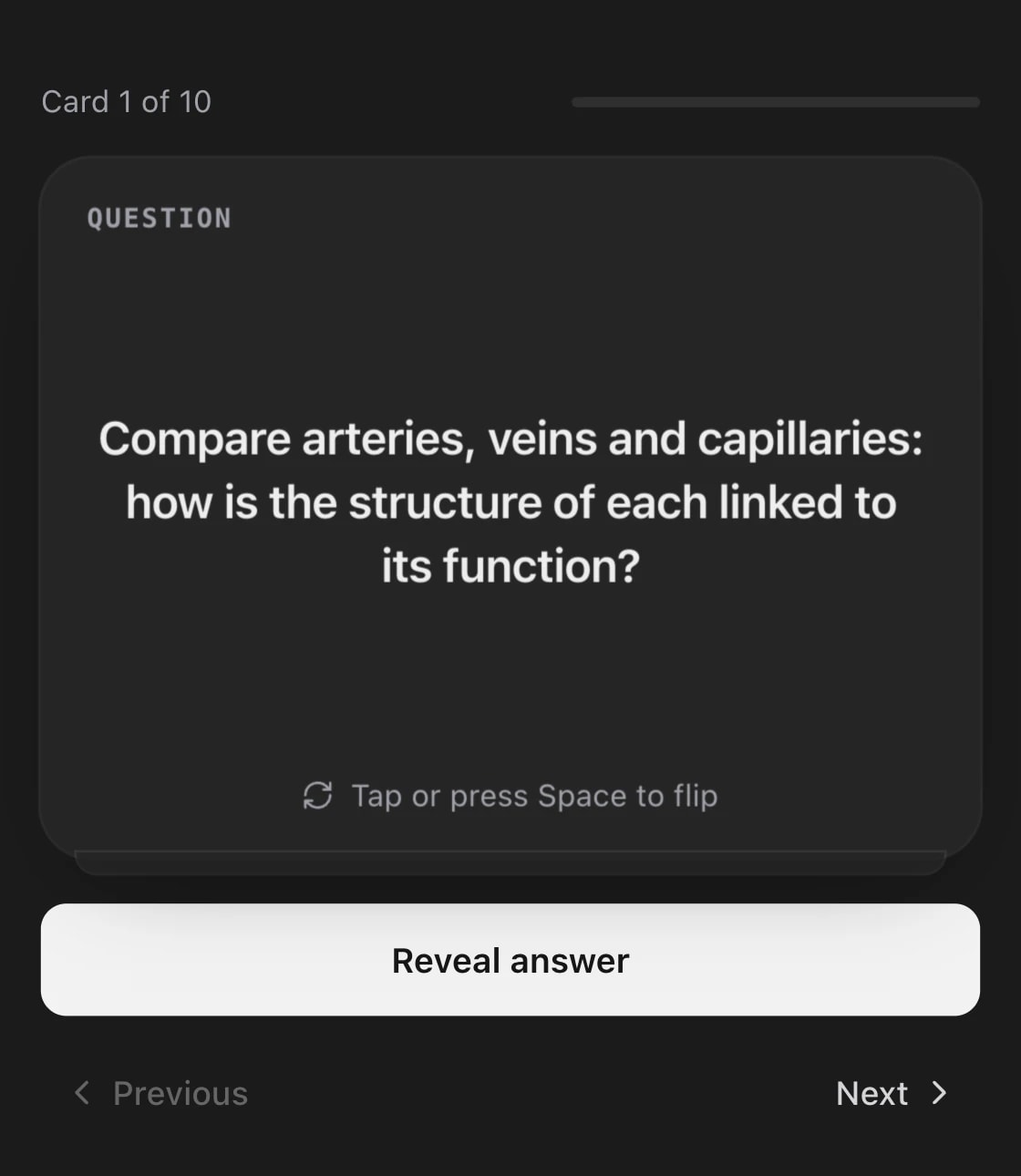
Flashcards and marked practice questions
Answer exam-style practice questions on aripsy.com, and Aripsy gives an estimated mark and the points you missed. Flashcards come back for spaced review in your Study Hub.
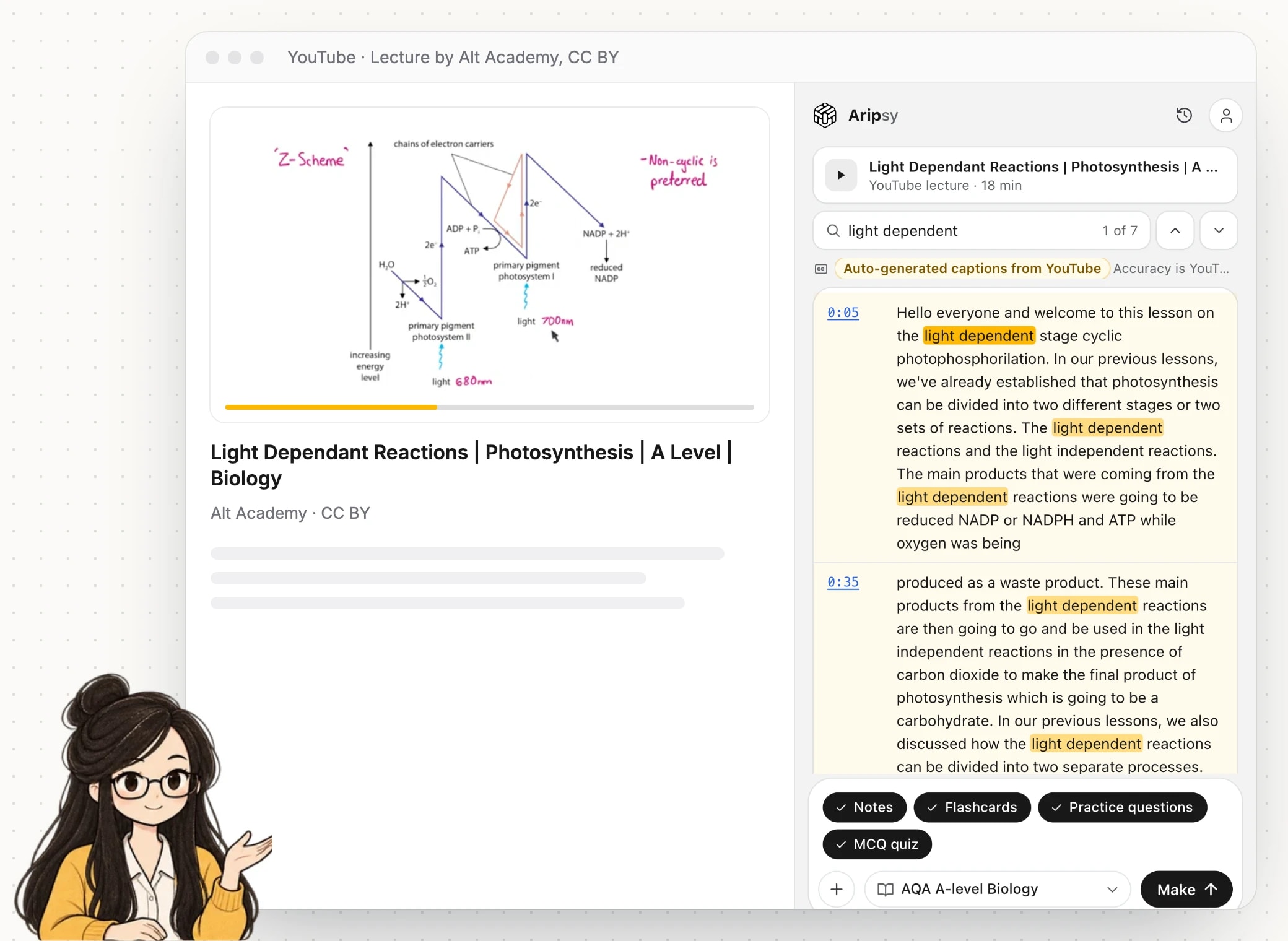
Find the part you need
In the extension, search the lecture's words and tap a time to jump the video there, then watch only that part again.
Last reviewed ·
How to turn a YouTube video into notes
YouTube video to notes with the Chrome extension
- 01
Add Aripsy to Chrome from the Chrome Web Store and log in with your free Aripsy account.
- 02
Open the lecture on YouTube. Click the Aripsy icon or press Alt+Shift+A (Option+Shift+A on a Mac), and the side panel opens beside the video.
- 03
Choose your course, pick Notes, Flashcards, Practice questions or MCQ quiz, and press Make.
Short lectures are made right in the panel and saved to your Study Hub. Longer lectures open on aripsy.com with the transcript and your picks, and you make the pack there.
YouTube video to notes without the extension
- 01
On a computer, open the video on YouTube. Open the description and click Show transcript.
- 02
Select the transcript from the first line to the last and copy it.
- 03
Paste it into the box at the top of this page and press Make my notes. Then pick what you want in Aripsy.
This works in Safari and Firefox on a computer too, because Show transcript is part of YouTube's website. Aripsy doesn't take a YouTube link, so paste the words.
On a phone, Safari or Firefox
On a phone, Aripsy can't read a YouTube video for you. The YouTube app shows a video's transcript under Show transcript in the description, but it doesn't let you copy the whole transcript. YouTube's mobile website has no Show transcript option, and Chrome on phones and tablets doesn't run extensions.
- Copy the transcript on a computer later, then paste it into Aripsy on any device.
- If you have the lecture's recording, for example from your course site, upload the audio on aripsy.com.
- Paste the notes you took while you watched, and Aripsy makes notes, flashcards and practice questions from them.
On a computer with Safari, Firefox or another browser, copy the transcript from Show transcript and paste it here. The Aripsy extension runs only in Chrome on a computer, version 116 or later.
Notes from a YouTube lecture
Aripsy keeps the lecture's main ideas in short sections, written for the course and level you pick. Where students often lose marks, it adds an Exam trap line. Each section ends with a Check yourself question, and the answers come at the end.
Near the end come an exam checklist and a one-minute recap. If a statement in the lecture looks wrong, Aripsy marks it Check this, so you can look it up.
Flashcards from a YouTube video
Pick Flashcards and Aripsy writes the cards from what the lecture says. Flip each card, then rate it Again, Hard, Good or Easy.
The cards are saved to your Study Hub, and due cards come back for spaced review. That way you see a hard card again soon and an easy one later.
Practice questions and a quiz from a YouTube video
Pick Practice questions and Aripsy writes exam-style questions with mark schemes from the lecture. Answer them on aripsy.com, and Aripsy gives an estimated mark, the points you earned and missed, and one way to improve.
The mark is an estimate, not an official exam-board mark. For multiple-choice questions, pick MCQ quiz as well. A pack made in the extension's panel has its MCQ quiz right there in the panel.
A summary of a YouTube lecture, made for revision
Aripsy is more than a YouTube summarizer. The one-minute recap at the end of your notes is the short summary to read before class or on the morning of the exam. The flashcards and practice questions check that you remember it.
Short on time? Read the recap first, then watch only the parts you didn't follow.
Only need the words? The Aripsy Chrome extension shows the video's transcript beside it, free with your account. Aripsy for Chrome
Questions about turning a YouTube video into notes
- Is it free to turn a YouTube video into notes with Aripsy?
- Aripsy turns a YouTube video into notes with a free Aripsy account and no card, and the Chrome extension is free to install. The free plan includes 15 study packs a month, up to 5 a day, and 3 answer checks a day. Pro costs $7.99 a month, shown in your currency at checkout, for 300 packs a month with no daily cap.
- Can AI make notes from a YouTube video?
- Aripsy makes notes from a YouTube video by reading the captions the video already has. With the Aripsy Chrome extension open beside the lecture, pick Notes and press Make. Without the extension, copy the transcript from Show transcript on a computer and paste it into Aripsy. The notes are written for your course.
- What AI can summarize YouTube videos?
- Aripsy summarizes a YouTube lecture as revision notes that end with a one-minute recap of the main points. The same lecture also gives you flashcards and practice questions for your course, so you can check what you remember. Use the Aripsy Chrome extension beside the video, or paste the video's transcript into Aripsy.
- How do I make flashcards from a YouTube video?
- To make flashcards from a YouTube video, open it in Chrome with the Aripsy extension, click the Aripsy icon, pick Flashcards and press Make. Without the extension, paste the video's transcript into Aripsy and pick Flashcards. Aripsy writes the cards from the lecture and saves them to your Study Hub, where you rate each card Again, Hard, Good or Easy and due cards come back for review.
- Can Aripsy make a quiz from a YouTube video?
- Aripsy makes a quiz from a YouTube video as exam-style practice questions with mark schemes. Answer them on aripsy.com, and Aripsy gives an estimated mark and shows the points you missed. The free plan includes practice questions and 3 answer checks a day. Full multiple-choice quizzes are part of Pro.
- Can I paste a YouTube link into Aripsy?
- Aripsy doesn't take a YouTube link. Paste the video's transcript instead, or use the Aripsy Chrome extension, which reads the captions of the video open in your tab. To copy a transcript on a computer, open the video's description on YouTube and click Show transcript.
- Can I turn a YouTube video into notes on my phone?
- On a phone, the way that works is to copy the video's transcript on a computer later and paste it into Aripsy on any device. The YouTube app shows a transcript but doesn't let you copy the whole of it, its mobile website has no Show transcript option, and Chrome on phones doesn't run extensions. If you have the lecture's recording, upload the audio on aripsy.com.
- Can Aripsy make notes from a YouTube video with no captions?
- Aripsy can't make notes from a YouTube video with no captions, because it reads the captions the video has, from the uploader or YouTube's automatic captions, not the sound. Live streams have no transcript to read either. If you have the recording, for example from your course site, upload the audio on aripsy.com, up to 60 minutes and 100 MB, and Aripsy makes your notes from it.
- How long a lecture can Aripsy handle?
- Aripsy's Chrome extension reads a long lecture's whole caption track and sends up to the first 30,000 words. One study pack takes up to 5,000 words on the free plan and up to 30,000 on Pro. For a longer lecture on the free plan, make a pack from each part.
- Does Aripsy work with lectures in other languages?
- Aripsy makes notes, flashcards and practice questions in the language the lecture is spoken in. The Chrome extension reads the caption track in the lecture's own language, even when YouTube has dubbed the video automatically, and doesn't translate it. The extension's panel is in English, Spanish and German, following your browser's language.
- Are notes from a YouTube video accurate?
- Notes from a YouTube video are only as accurate as its captions, and automatic captions can mishear words, so check names, numbers and key terms against your course. Aripsy also checks the lecture's text for clear mistakes and marks a line Check this when a statement may be wrong, so you know what to look up.
- Can ChatGPT summarize YouTube videos?
- ChatGPT can summarize a YouTube video's transcript when you paste the text in, and so can Aripsy. The Aripsy Chrome extension also reads the captions beside the video, so there is nothing to copy. Aripsy then turns the lecture into notes, flashcards and practice questions for your course and saves them to your Study Hub.