Chrome extension · Free account · Works on YouTube, PDFs and articles
Notes, flashcards and practice questions from any page, PDF or YouTube lecture
The Aripsy Chrome extension turns the article, PDF or YouTube lecture on your tab into revision notes, flashcards and practice questions for your course.It also reads a YouTube lecture's transcript beside the video, free with an Aripsy account and no card.
 Add to Chrome, it's free
For Chrome on a computer. On a phone or tablet, use the Study Tool on aripsy.com instead.The Chrome Web Store listing is in review. Use the study tool meanwhile.
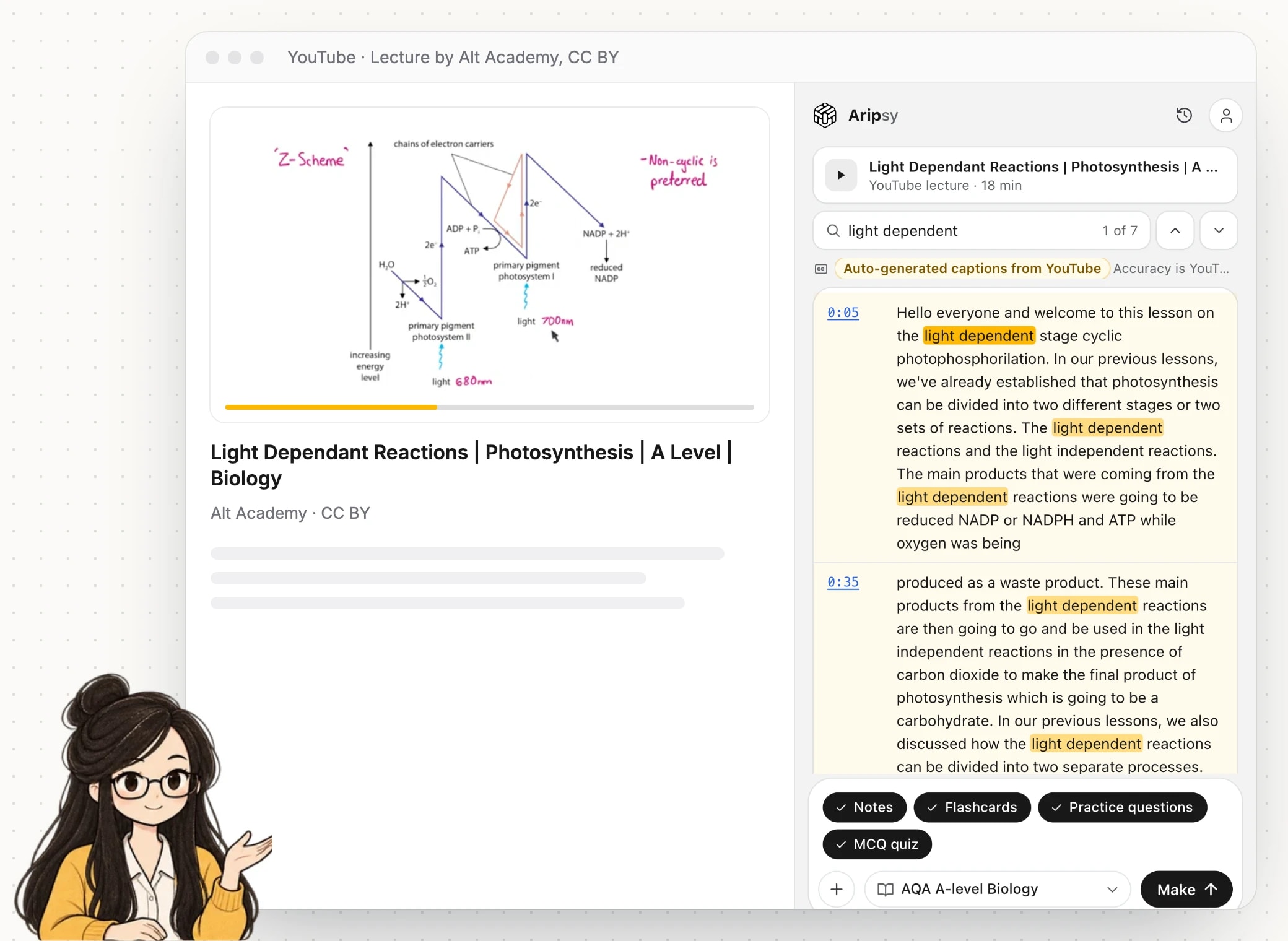
The Aripsy panel with the lecture's captions, beside a still of the lecture. Lecture by Alt Academy, CC BY.
In short
Aripsy for Chrome is a side panel that turns the page, PDF or YouTube lecture you are studying into notes, flashcards and practice questions for your course and exam board, saved to your Study Hub.
- Reads
- The page, PDF or lecture on your tabAfter you open Aripsy on it, or on a site you allowed.
- Makes
- Notes, flashcards and practice questionsFor the course and exam board you pick.
- Saves to
- Your Study HubOpen your packs on aripsy.com, on any device.
- Costs
- Free with an Aripsy accountNo card needed.
Three jobs, one panel
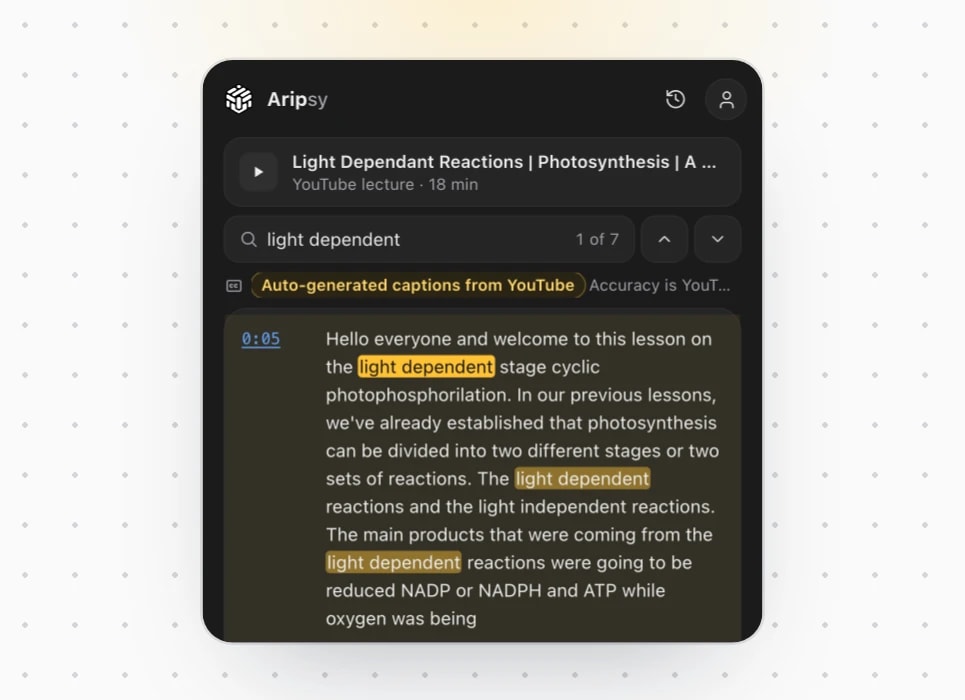
Free YouTube transcript beside the video
A YouTube transcript extractor in the side panel. Search it, tap a time to jump the video there, and copy it with or without the times.
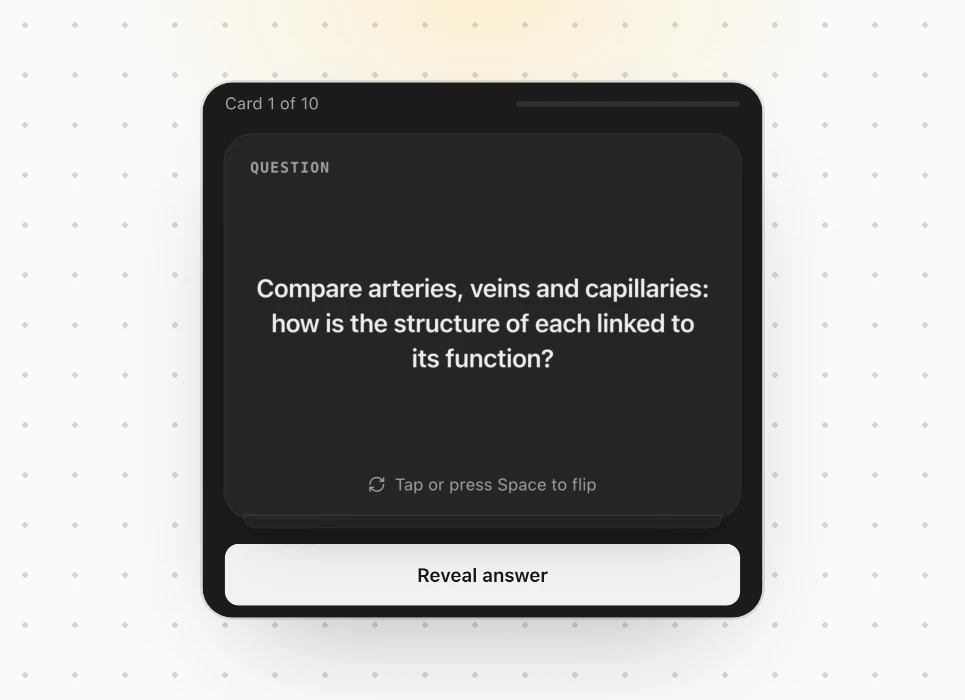
Notes and flashcards from the page you're on
Summarize an article, a PDF or a lecture into notes and flashcards made for your course and saved to your Study Hub.
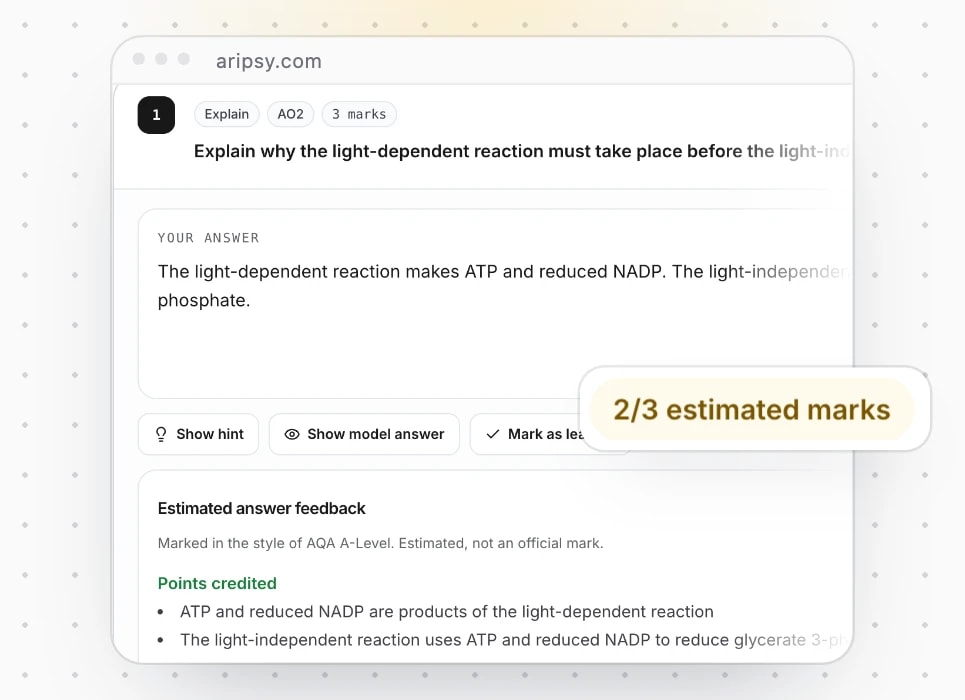
Practice questions with mark schemes
Pick Practice questions, then answer them on aripsy.com for an estimated mark and the points you missed.
Last reviewed ·
How Aripsy compares with Knowt and Gizmo
Knowt and Gizmo extensions tried in Chrome and the Gizmo app tried in an account, 26 November 2026. Other features from their store listings, sites and help pages.
| Aripsy for Chrome | Knowt extension | Gizmo extension | |
|---|---|---|---|
| Makes the study pack beside the page, with no tab switch | Yes. Notes and flashcards appear in the side panel next to the page or video | No. Its extension sends the page to the Knowt site. | No. Its extension sends the page to the Gizmo site. |
| Asks for your exam board before it writes | Yes. AQA, Edexcel, OCR, Cambridge International, AP or IB, and the notes follow that board's style | No. Notes are not made for an exam board. | No. In our test, notes were not made or marked for an exam board. |
| Reads a YouTube lecture's captions in its original language | Yes, with the transcript to read, search and copy beside the video | Its extension uses the transcript to make notes on the Knowt site | Its extension turns the transcript into a deck on the Gizmo site |
| Checks your material and flags what looks wrong | Yes. A “Check this” line marks a statement that may be wrong | Not in its listing or help pages | Not in its listing or help pages |
| Practice questions marked against a mark scheme, with the points you earned and missed | Yes, on aripsy.com, with an estimated mark | In the Knowt app, per its site and help pages, scored tests and rubric-graded AP answers | In the Gizmo app, marks and the mark scheme for each written answer. In our test, no exam board |
| Flashcards that come back when due | Yes, rated in the panel, scheduled in your Study Hub | Yes, in the Knowt app, per its help pages | Yes, in the Gizmo app, per its help pages |
| Free plan with no card | Yes | Free plan, per its site | Free plan, per its help pages |
Knowt and Gizmo belong to their owners. Aripsy is not linked to either.
How the Aripsy Chrome extension works
Add Aripsy to Chrome, pin it to your toolbar and log in with your free account.
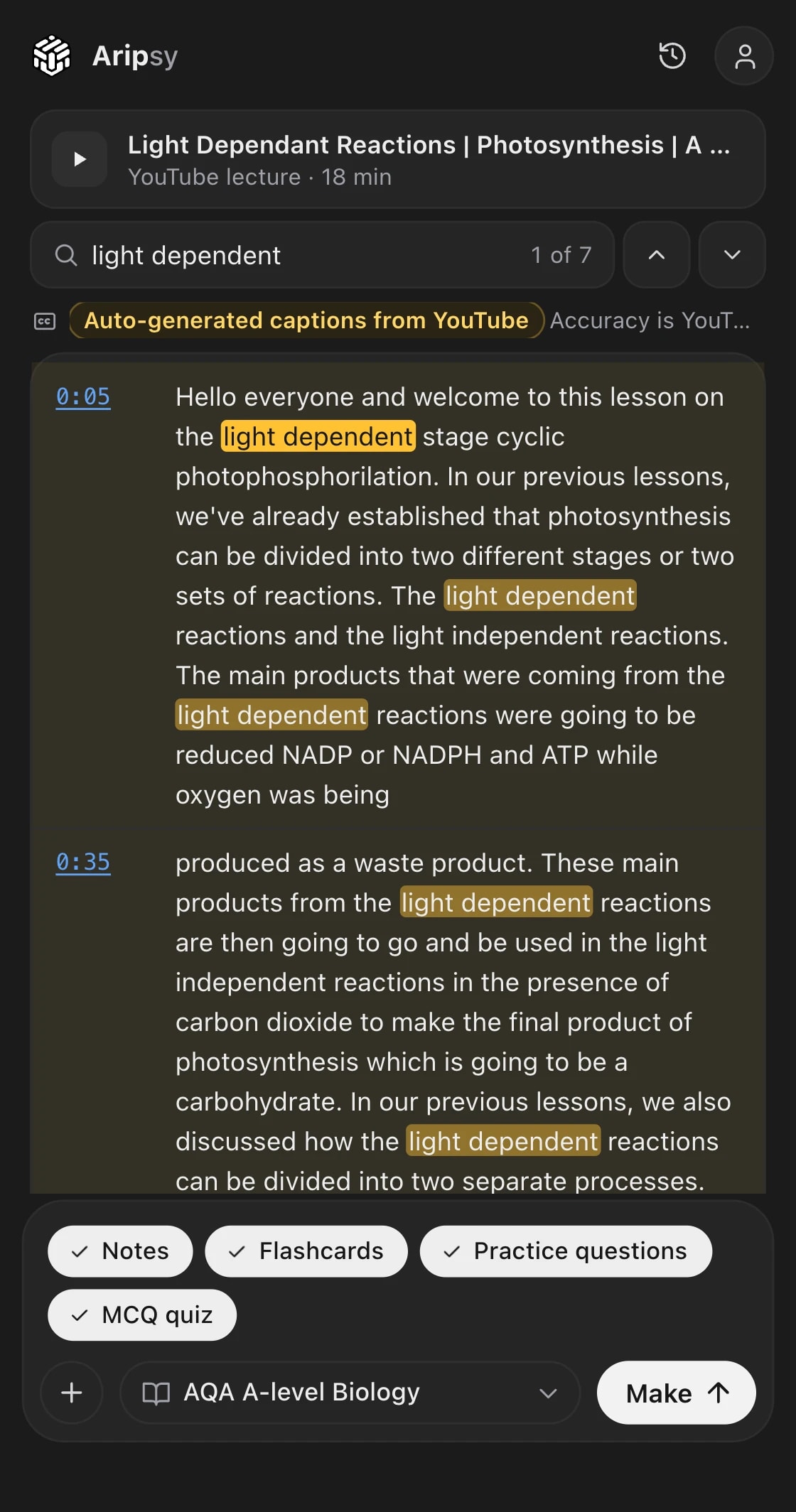
Open an article, a PDF or a YouTube lecture. Click the Aripsy icon or press Alt+Shift+A (Option+Shift+A on a Mac) to open the side panel.
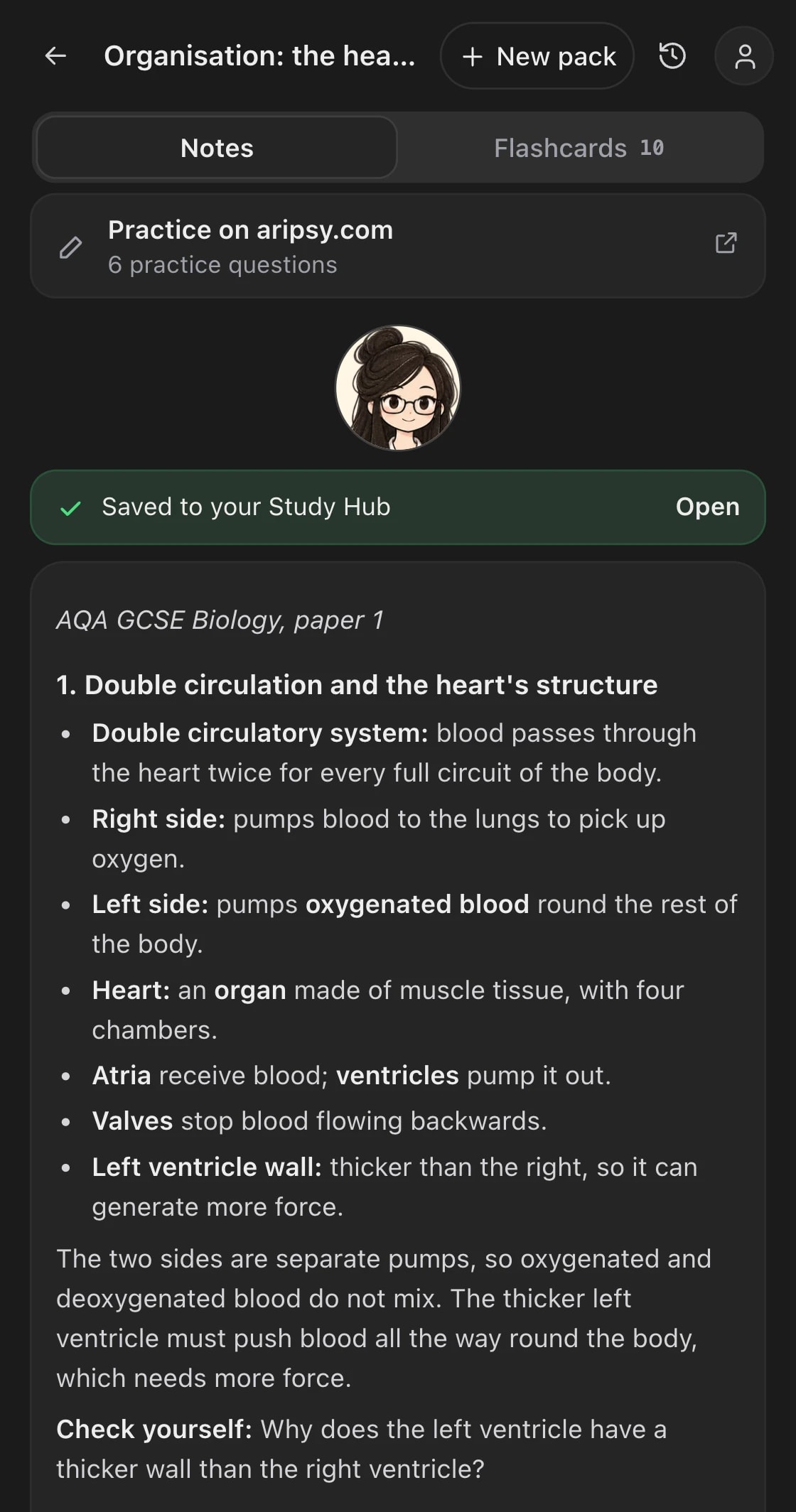
Choose your course, pick Notes, Flashcards, Practice questions or MCQ quiz, and press Make. On a YouTube video, press Read the transcript to see the words.
Short pages and lectures are made right in the panel as a study pack of notes, flashcards and questions, saved to your Study Hub. Files and longer material open on aripsy.com with your picks, and you press Make there.
Only want part of a page? Select the text, right-click and choose Make study notes from this selection with Aripsy. Maya, your study guide in the panel, shows you round the first time.
Free YouTube transcript generator beside the video
A YouTube transcript extractor in Chrome's side panel, next to the lecture you are watching. There is no link to paste. It reads the captions of the video in your tab, with your free Aripsy account.
YouTube video to transcript in the side panel
Open a video, click the Aripsy icon and press Read the transcript. The panel shows the captions the video has, from the uploader or YouTube's automatic captions, with the time of each line. Press Make and Aripsy makes your study pack from the same captions.
Search, copy, or copy with the times
Search for a word and tap a time to jump the video there. Copy the text alone or with the times, and the panel tells you how many words it copied.
Free with your Aripsy account
Reading and copying a transcript is free with your Aripsy account and uses none of your study packs. Aripsy shows only the caption tracks a video has and doesn't translate them.
When a video has no captions
Videos without captions and live streams have no transcript to show. If you have the recording, upload the audio on aripsy.com, up to 60 minutes, and Aripsy writes the transcript from it.
Summarize an article or any web page into study notes
Use Aripsy as a website summarizer for revision. It reads the article on your tab, or only the part you select, and turns it into notes for your course.
Flashcards from any website
Pick Flashcards and press Make. Aripsy writes the cards from the page, and due cards come back for spaced review in your Study Hub.
Notes with a one-minute recap
The notes keep the page's main ideas in short sections and end with an exam checklist and a one-minute recap.
A quiz from a web page
Pick Practice questions or MCQ quiz as well. Practice questions come with mark schemes, and Aripsy marks your written answers on aripsy.com.
Aripsy can't read images, scanned pages, Chrome's own pages or Quizlet pages. Select the text, paste it into the panel, or upload the file on aripsy.com instead.
PDFs and lecture slides
Open a PDF in Chrome, click the Aripsy icon and press Make. The whole PDF, up to 15 MB, opens on aripsy.com, where Aripsy turns it into notes, flashcards and practice questions.
For slides or a Word file, press + in the panel and add a PowerPoint, PDF or Word file up to 15 MB. Aripsy makes everything for the course you picked.
Practice questions with mark schemes
Pick Practice questions and Aripsy writes exam-style questions with mark schemes from your material. Answer them on aripsy.com and Aripsy gives an estimated mark, the points you earned and missed, and one way to improve.
The mark is an estimate from Aripsy, not an official exam-board mark.
Mark an answer now with Mark my answer
A multiple-choice quiz from the same material
Pick MCQ quiz and your pack also gets a multiple-choice quiz from the same page, PDF or lecture. For a pack made in the panel, you take the quiz right there, with the answer and why after each pick and your score at the end.
What it can and can't do
It can
- Read an article, a selection, a PDF tab or a YouTube lecture with captions
- Make short material in the panel and save it to your Study Hub
- Take a PDF, PowerPoint or Word file up to 15 MB
It can't
- Run on a phone or tablet. Use aripsy.com there
- Read images, scanned pages, Chrome's own pages or Quizlet pages
- Show a transcript for a video with no captions. Upload its audio on aripsy.com instead
What the extension reads, and when
- It works only with your free Aripsy account. While you are signed out, it reads and sends nothing.
- It reads a page, PDF or YouTube lecture after you open Aripsy on that tab, or while the panel is open on a site you allowed.
- Nothing from the page leaves your browser until you press Make. The extension does not send the page's address.
- It does not ask for your browsing history or for access to every site.
- Recent keeps the title, address and time of each page you sent, in this browser only, and Log out clears it.
- The extension has no analytics, no advertising and no error reporting.
Questions about the Aripsy Chrome extension
- Is the Aripsy Chrome extension free?
- Yes, the Aripsy Chrome extension is free to install and works with a free Aripsy account. The free plan includes 15 study packs a month, up to 5 a day, and 3 answer checks a day, with no card. The YouTube transcript extractor uses no study packs. Pro costs $7.99 a month for 300 packs.
- Do I need an account to use the extension?
- The Aripsy Chrome extension needs a free Aripsy account for everything, the transcript included. While you are signed out, it reads nothing and sends nothing. The account keeps your course, saves every pack to your Study Hub and lets Aripsy mark your practice answers. The free plan needs no card.
- Does the extension work on my phone?
- The Aripsy Chrome extension runs only in Chrome on a computer. On a phone or tablet, use aripsy.com in your browser instead. Paste your notes, or upload a PDF, PowerPoint, Word file or audio recording, and Aripsy makes the same notes, flashcards and practice questions.
- What AI should I use for a YouTube transcript?
- Aripsy's Chrome extension is a free YouTube transcript generator that shows a video's transcript in a side panel beside the video, with a free Aripsy account. You can search it, copy it and tap a time to jump the video there. It reads the captions the video already has.
- How do I get the transcript of a YouTube video?
- With the Aripsy Chrome extension, open the video in Chrome, click the Aripsy icon and press Read the transcript. The transcript shows in a side panel beside the video, where you can search it and copy it with or without the times. It needs a free Aripsy account and a video with captions.
- What if a YouTube video has no captions?
- Aripsy's Chrome extension can only show a transcript when a YouTube video has captions, from the uploader or YouTube's automatic captions. Live streams and videos without captions have no transcript to show. If you have the recording, upload the audio on aripsy.com, up to 60 minutes, and Aripsy makes an editable transcript and your study pack from it.
- Which AI makes flashcards from a website?
- Aripsy makes flashcards from a website with its Chrome extension. Open the page, click the Aripsy icon, pick Flashcards and press Make. Aripsy reads the article, or only the part you select, and writes the cards for your course. They are saved to your Study Hub, where due cards come back for spaced review.
- Is there a Chrome extension that summarizes articles?
- Yes, the Aripsy Chrome extension can summarize an article you are reading as revision notes that end with a one-minute recap of the main points. Click the Aripsy icon, or select part of the page and right-click. Aripsy writes the notes for the course you picked and can add flashcards and practice questions from the same article.
- Which AI can read a PDF?
- Aripsy reads PDFs, and its Chrome extension sends a PDF open in a Chrome tab to Aripsy, up to 15 MB. Press Make and the whole PDF opens on aripsy.com, where Aripsy turns it into notes, flashcards and practice questions for your course. On the free plan, a file counts as your one document upload for the month.
- Can AI make MCQs from a web page or PDF?
- Aripsy makes multiple-choice questions from the web page or PDF you are reading, through its Chrome extension. Pick MCQ quiz in the side panel and press Make. The MCQ quiz is part of Aripsy Pro, which costs $7.99 a month, and the quiz is saved to your Study Hub with the rest of the pack.
- What AI can help me score higher in my exams?
- Aripsy helps you prepare for exams by turning what you study into practice. Its Chrome extension makes revision notes, flashcards and exam-style questions from a page, PDF or lecture, and Aripsy marks your written answers. It is for revising before an exam, not during one. No tool can promise a grade.
- Is the Aripsy extension safe, and what does it read?
- The Aripsy Chrome extension reads a tab only after you open Aripsy on it, with its icon, its shortcut or the right-click menu, or while the panel is open on a site you allowed. Nothing from the page leaves your browser until you press Make. It does not ask for your browsing history or for access to every site.
- Can AI read a website?
- Yes, Aripsy's Chrome extension reads the web page open in your tab and turns it into notes, flashcards and practice questions, with no copying and pasting. ChatGPT may also visit a web page when you ask it a question about one. Aripsy saves what it makes to your Study Hub.
- Are Aripsy's notes accurate?
- Aripsy's notes are made from the page, PDF or captions you give it, and Aripsy marks a line “Check this” when a statement in that material may be wrong. Automatic YouTube captions can mishear words, so check names, numbers and terms against your course. AI can make mistakes too, and an AI mark on your answer is an estimate, not an official one.