Best AI Study Note Generator for College Students: 5 Tools Compared
Choose Aripsy for exam-focused notes and practice from your own material, NotebookLM for source-grounded work across several documents, StudyFetch for a broader course workspace, RemNote for connected notes and spaced repetition, or Anki after you have checked cards ready for long-term review.
 Aripsy Study Team
In this article13
College students do not only need shorter notes. They need notes they can understand, check, organise, and turn into practice before exams.
That is the real test for an AI study note generator. A useful tool should help you move from lecture slides, PDFs, textbook chapters, and rough notes into a study system: clear notes, flashcards, MCQs, fill-in-the-blank practice, follow-up questions, and exports you can revise from later.
This guide explains what college students should look for and how Aripsy fits that workflow.
Quick answer: what is the best AI study note generator for college students?
The strongest AI study note generator for college students is one that can work from your own material, create structured notes, support document uploads, generate active recall practice, save study history, and remind you to verify important details.
For many students, Aripsy is a strong fit because it focuses on study-material generation rather than general chat. It can create notes from pasted text, support PDF, PowerPoint (.pptx), and Word (.docx) uploads on Pro, generate flashcards, create MCQs and fill-in-the-blank practice on Pro, save study sessions, and provide Ask AI tutor for follow-up questions on saved material.
Do not choose only by speed. Choose by whether the tool helps you understand and practise.
You can try the workflow directly in the Aripsy study tool, compare the dedicated AI study notes generator, or use PDF to study notes when your source material is a lecture pack or textbook chapter.
Why college notes are different from school notes
College and university material is often less guided. A lecture may move quickly, a textbook chapter may include details you do not need, and a seminar reading may assume background knowledge.
Common college-note problems:
- Lecture slides are too brief to revise from.
- PDFs are long and hard to scan.
- Notes from different classes are scattered.
- Definitions are mixed with examples and citations.
- Students reread notes without testing recall.
- Complex topics need follow-up explanations after class.
An AI note generator should reduce that friction without pretending the output is perfect.
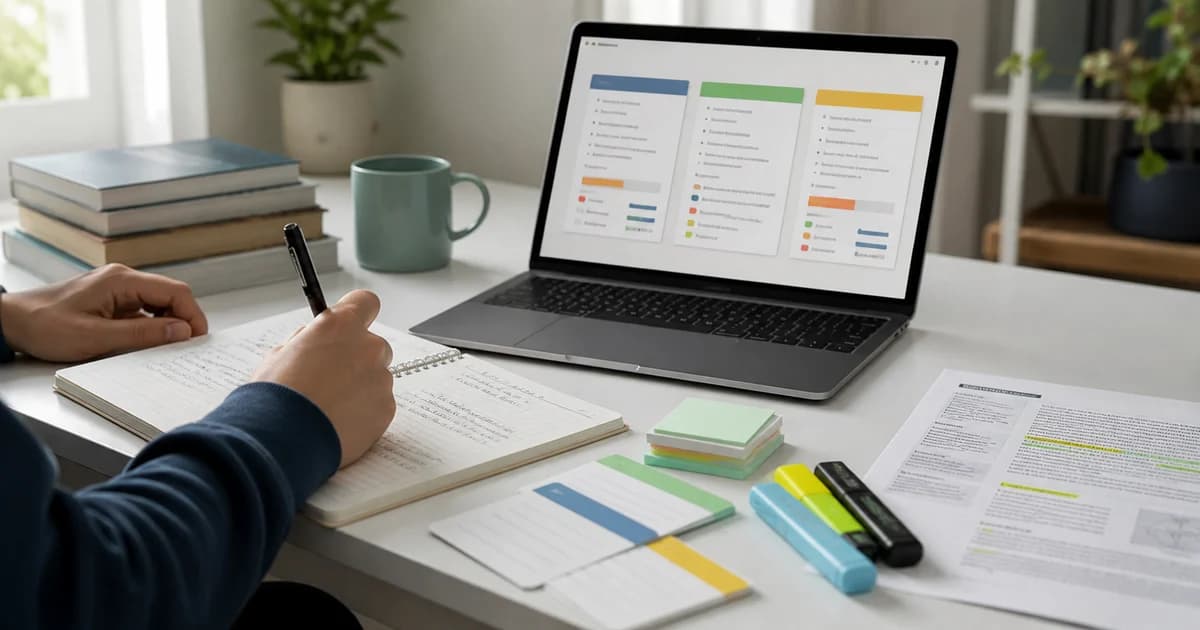
College study workspace with laptop, notebook, and revision material
Feature checklist for college students
Use this checklist before choosing a tool.
| Feature | Why it matters | Aripsy workflow |
|---|---|---|
| Notes from pasted text | Useful for lecture notes, articles, and copied PDF sections | Available on Free and Pro within plan limits |
| Document uploads | Useful for slides, handouts, textbook chapters, and research papers | Pro supports PDF, PowerPoint (.pptx), and Word (.docx) files up to 15MB |
| Flashcards | Turns notes into active recall | Free includes limited flashcards; Pro has no separate flashcard cap within the 300 monthly AI-generation allowance |
| MCQs | Tests understanding and misconceptions | Available on Pro |
| Fill-in-the-blanks | Helps with exact terms and definitions | Available on Pro |
| Ask AI tutor | Lets you clarify saved sessions | Available for saved study material |
| Collections and history | Keeps revision organised by module or topic | Built into the study workflow |
| Exports | Helps revise outside the app | Markdown on Free; PDF and Anki-importable tab-separated .txt on Pro |
| Privacy and account controls | Course files may contain personal, unpublished, or institution-restricted material | Check the current privacy policy and remove sensitive content before uploading |
The best setup is not one feature. It is the full loop from input to notes to practice.
Do not treat “source-grounded” as a guarantee of accuracy. A tool may stay close to uploaded material and still misread a table, omit a qualification, flatten a diagram, or repeat an error already present in the source. Check what the provider stores, whether account or school controls affect data handling, and whether the output points back to material you can inspect.
Five AI study tools for university notes and PDFs
The right tool depends on whether you need to understand sources, generate exam material, or schedule long-term review. This comparison is written for university and college students internationally; product availability and account rules can vary by country or institution.
| Tool | Best for | Useful inputs | What happens after the notes | Main limitation |
|---|---|---|---|---|
| Aripsy | Exam-focused study sets from your own material | Pasted notes on Free; PDF, PowerPoint (.pptx), and Word (.docx) files on Pro | Flashcards, questions, saved-session tutor follow-up, and Pro MCQs and fill-in-the-blanks | Not intended as a research library or citation manager |
| NotebookLM | Working across several course sources | PDFs, documents, slides, websites, audio, and other supported sources | Source-grounded chat, study guides, flashcards, and quizzes | Availability can depend on age, country, and managed-account settings |
| StudyFetch | A broad workspace around lecture and course files | PDFs, lecture slides, notes, and other course material | Notes, flashcards, quizzes, tutoring, and review activities | A broad workspace may be more than a notes-only student needs |
| RemNote | Connected notes with long-term recall | Notes, PDFs, text, and imported material | Flashcards stay connected to notes and enter spaced repetition | The knowledge-base workflow takes time to learn |
| Anki | Reviewing material you have already checked | Cards created manually or imported from another workflow | Detailed adaptive spaced repetition | It is primarily a review system, not a full PDF-to-study-guide workflow |
Do not process a whole textbook merely because a tool accepts large files. Start with one chapter or learning objective, check the output, and then decide whether to expand. Tables, formulas, diagrams, scanned pages, citations, and footnotes often need extra inspection.
Best choice for long lecture handouts
Use Aripsy when you want a direct path from a focused handout to notes, flashcards, and exam practice. Use NotebookLM when several sources must remain visible and cited during discussion. Use StudyFetch when you want multiple study activities around the same course files.
Best choice for MCQs and exam practice
Aripsy Pro and StudyFetch both provide workflows beyond plain notes. The useful comparison is not the number of questions generated; it is whether distractors are plausible, explanations are supported by the source, and missed concepts can be reviewed again.
Best choice for long-term retention
Use RemNote when notes and cards should remain connected. Use Anki when you already have a checked deck and want granular review scheduling. A practical combined workflow is to generate and correct notes first, then move only high-value cards into the long-term review system.
What good AI college notes should include
Good AI-generated notes should be easy to revise from. They should not be a wall of rewritten text.
Look for:
- Clear headings.
- Short definitions.
- Examples from the source.
- Step-by-step explanations where needed.
- Important terms separated from background detail.
- Common mistakes or confusing comparisons.
- Follow-up questions for revision.
If the output is only a compressed paragraph, it may save time but still leave you with passive reading.
College use cases
Different college students need different note workflows.
| Student situation | Best workflow |
|---|---|
| Missed a lecture | Paste class notes or slides, generate a structured catch-up guide, then ask follow-up questions |
| Long PDF chapter | Generate notes from one section, check details, then turn it into flashcards |
| Medical or law reading | Extract definitions, mechanisms, cases, exceptions, and application prompts, then verify carefully |
| Exam week | Generate topic guides, create MCQs, and prioritise weak areas |
| Study group | Create a shared summary, check it together, and split practice questions |
Aripsy is useful here because it is built for student outputs rather than only document storage.
How Aripsy compares with generic AI chat
A general chatbot can summarise a lecture if you write a good prompt. The problem is consistency. You may need to keep rewriting prompts for every course, quiz format, flashcard style, and export need.
Aripsy is more focused:
- It starts from study material.
- It uses subject and focus settings.
- It creates study notes first.
- It can turn notes into flashcards.
- Pro adds MCQs, fill-in-the-blanks, document uploads, and richer exports.
- Saved sessions let you ask Ask AI tutor follow-up questions.
- Collections keep related study material together.
That structure matters when you have multiple modules and limited revision time.
A safe workflow for college students
Use this routine for one lecture, chapter, or topic.
- Add only the section you need.
- Generate study notes.
- Compare the output with your source.
- Mark uncertain claims.
- Create flashcards for key definitions.
- Create MCQs or short-answer prompts for application.
- Use Ask AI tutor for confusing points.
- Save or export the final version.
This keeps AI in the role of study assistant, not replacement for learning.
What to avoid
Avoid AI study tools that:
- Promise guaranteed grades.
- Hide plan limits until after upload.
- Only produce long summaries.
- Do not support recall practice.
- Make it hard to export or organise notes.
- Encourage dishonest coursework use.
- Do not remind students to check important details.
For serious college subjects, especially medicine, law, engineering, statistics, and research-heavy modules, source checking is part of the workflow.
Example: turning one lecture into a study set
Suppose your lecture is about inflammation in a medical biology module.
| Source detail | Study note output | Practice output |
|---|---|---|
| Definition of inflammation | Short definition and purpose | Flashcard |
| Stages of response | Ordered process notes | Fill-in-the-blank practice |
| Cell types involved | Table of roles | MCQs |
| Common confusion | Similar terms explained | Ask AI tutor follow-up |
| Clinical example | Application note | Short-answer question |
This is stronger than a simple summary because it creates material you can actually use for revision.
FAQ
What should college students look for in an AI study note generator?
College students should look for structured notes, PDF support, flashcards, practice questions, saved history, exports, clear plan limits, and reminders to verify AI-generated content.
Can Aripsy create study notes from PDFs?
Yes. Aripsy Pro supports PDF, PowerPoint (.pptx), and Word (.docx) uploads up to 15MB. Free users can paste copied text into the study tool within Free plan limits.
Is an AI note generator better than taking notes manually?
It depends on the task. AI can organise and transform material quickly, but manual note-taking can help with attention and understanding. A strong workflow combines both: use your own judgement, then use AI to structure and practise.
Can AI-generated college notes contain mistakes?
Yes. AI output can contain errors or miss context. Always check important definitions, formulas, dates, cases, and technical details against trusted course material.
Does Aripsy replace studying?
No. Aripsy is a learning assistant. It helps students create notes, flashcards, and practice from their own material, but students still need to understand, verify, and practise.
Sources and further reading
- The Cornell Note Taking System from Cornell Learning Strategies Center.
- Use retrieval practice from the University of Minnesota.
- Retrieval practice from The Learning Scientists.
- Spaced practice from The Learning Scientists.
- NotebookLM supported sources and study workflows from Google.
- StudyFetch PDF-to-flashcards workflow from StudyFetch.
- RemNote flashcards inside notes from RemNote.
- Anki official website from Anki.
Final takeaway
The best AI study note generator for college students is not the one that creates the longest summary. It is the one that helps you organise source material, check understanding, and practise recall.
Use Aripsy when you want a focused study workflow: notes first, then flashcards, questions, saved sessions, Ask AI tutor, and exports depending on your plan.
Next steps: turn a lecture into flashcards from notes, create MCQs from text, or read the practical guide on turning PDF notes into a study guide.
If you are replacing a deck-based study app, compare the best Quizlet alternatives for international students.
Keep exploring
AI study notes workflow
Start with your own material and shape the draft into structured, checkable notes.
Open AI study notes workflow
Written by
Aripsy Study Team
The Aripsy Study Team creates practical revision guides designed to support learning, source checking, and active practice.